
Best External SSDs – Top Picks for Photographers & Videographers

Table of Contents
 Why Trust Us
By David Schloss and the Imaging Resource Staff
External SSDs have revolutionized portable storage, delivering speeds up to 20x faster than traditional hard drives while fitting in your pocket. Modern external SSDs can handle 4K and 8K video editing directly from the drive, and withstand drops, dust, and water. Whether you’re backing up RAW photos in the field, editing ProRes video on location, or need reliable storage that won’t slow down your workflow, the right external SSD transforms how you work with large files.
Why Trust Us
Our team has been testing storage solutions for photographers and videographers for over two decades. We actively use external SSDs in real-world creative workflows, from backing up shoots in remote locations to editing 4K video directly from portable drives.
We have tested virtually every drive in this list. Where we have not tested a product, we have consulted with our partner photographers and videographers and verified their feedback with trusted reviewers. Thanks to our approach, we stand behind all the products in this list, and would trust them all with our most important data.
We never take payment for placement, and even though our articles contain affiliate links, affiliates never influence our editorial rankings.
Affiliate Disclosure: We may earn a commission from purchases made through our links.
Our Picks at a Glance
Key Takeaways
For creators starting out, the Crucial X10 and LaCie Rugged SSD4 offer excellent performance and durability without breaking the bank. Professional workflows demanding maximum speed benefit from the Samsung T9‘s 2,000MB/s performance or the OWC Envoy Pro FX‘s Thunderbolt connectivity. High-capacity users should consider the Crucial X10’s 8TB option for massive portable libraries. The Samsung T7 Touch provides biometric security for sensitive projects, while external enclosures from TerraMaster and OWC let you build custom solutions. Bus-powered convenience means most drives work without external power, making them perfect for field work.
Best Picks by Category
Best Budget Drive: Crucial X10
Best Rugged Drive: LaCie Rugged SSD4
Best High-Speed Drive: Samsung T9
Best Professional Drive: OWC Envoy Pro FX
Best High-Capacity Drive: Crucial X10 8TB
Best Secure Drive: Samsung T7 Touch
Best Budget Enclosure: TerraMaster D1 SSD Plus
Our team has been testing storage solutions for photographers and videographers for over two decades. We actively use external SSDs in real-world creative workflows, from backing up shoots in remote locations to editing 4K video directly from portable drives.
We have tested virtually every drive in this list. Where we have not tested a product, we have consulted with our partner photographers and videographers and verified their feedback with trusted reviewers. Thanks to our approach, we stand behind all the products in this list, and would trust them all with our most important data.
We never take payment for placement, and even though our articles contain affiliate links, affiliates never influence our editorial rankings.
Portable External SSDs
Ready-to-use external SSDs offer the convenience of plug-and-play operation with guaranteed compatibility and warranty coverage. These complete solutions include the drive, enclosure, cables, and often software utilities. Modern portable SSDs deliver impressive performance while remaining compact enough for daily carry.
Budget
Crucial X10
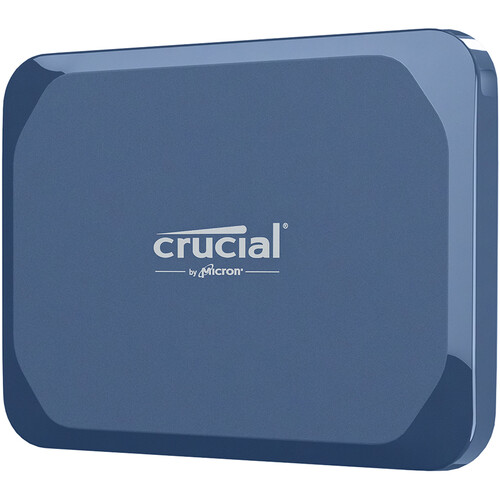
The newest member of Crucial’s portable SSD family offers massive capacity options up to 8TB while maintaining the compact form factor of smaller drives. Performance rivals more expensive alternatives at a better price per gigabyte.
Rating: 4.2
Pros
- Available in unusual 6TB and massive 8TB capacities
- Improved performance over the previous generation
- IP65 water and dust resistance
- Excellent value per gigabyte at high capacities
Cons
- USB 3.2 Gen 2×2 interface is slow compared to the USB 4 interface standard
- Performance varies by capacity
- No bundled software or utilities
Who is this for?
Creators who require extensive portable storage and seek a better price-per-gigabyte than premium drives. Also, the Crucial X10’s 8TB version is our top choice for high-capacity users.


The LaCie Rugged SSD4 is a high-performance portable SSD engineered for creators on the move. With USB4/Thunderbolt 5 compatibility delivering up to 4,000 MB/s read and 3,800 MB/s write speeds, and built into a shock-resistant IP54 rated shell that survives 3-metre drops and 1-ton pressure, this drive strikes a premium balance of speed and ruggedness. Available in 1 TB, 2 TB and 4 TB capacities, it arrives ready for multi-platform use (macOS, Windows, iPadOS, Android) and includes a 3-year warranty with data recovery support.
- Fast real-world performance when connected via USB4 or Thunderbolt, making it suitable for 4K/8K workflows and large project transfers.
- Rugged construction with drop, dust, and splash resistance designed for field work.
- Broad device compatibility across macOS, Windows, iPadOS, and Android via USB-C.
- Compact and portable size that’s easy to carry in a kit bag.
- Includes a three-year warranty with data recovery services for added protection.
- Requires a full-bandwidth USB4 or Thunderbolt port to reach maximum performance; slower ports will bottleneck the drive.
- Higher price compared to non-rugged portable SSDs.
- IP54 rating provides splash resistance but not full waterproofing.
- Slightly bulkier than ultra-thin portable SSDs due to the rugged bumper.
- Short included cable may not be ideal for all setups.
The LaCie Rugged SSD4 is the latest in the company’s well-regarded series of “rugged” drives. I’ve been using these drives while on the road for well more than a decade. This drive is “adventure proof” and is resistant to shocks, drops, water, freezing temperatures, and being crushed. We tested the claims in this review and found that it handled all the abuse we could put it through.
It’s not just durable, it’s fast, with transfer speeds around the maximum 4,000 MB/second, even after spending a night in the deep freezer, being tossed across my driveway, soaked with a hose, and being driven over.
You can read our full review here.
Best
Samsung T9
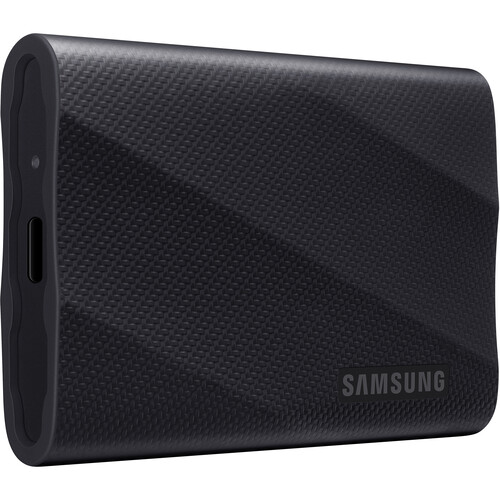
Samsung’s latest flagship portable SSD delivers impressive 2,000MB/s speeds in a compact, durable package. The T9 represents the sweet spot between performance, portability, and price for professional creative work.
Rating: 4.5
Pros
- Consistent 2,000MB/s read and write speeds
- Dynamic thermal management prevents throttling
- Rugged design with 9.8-foot drop protection
- Available up to 4TB capacity
Cons
- Premium pricing compared to older models
- No IP rating like the T7 Shield
- Requires USB 3.2 Gen 2×2 for full performance
Who is this for?
Professional photographers and videographers who need reliable high-speed storage for demanding workflows and aren’t constrained by budget.
Samsung T7 Touch
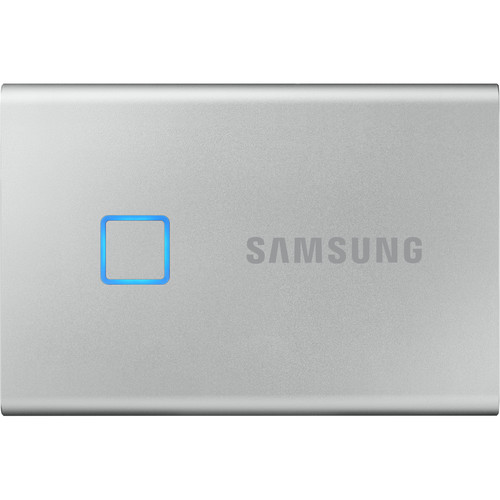
A premium portable SSD that combines fingerprint security with fast USB 3.2 Gen 2 performance. The T7 Touch offers the same blazing speeds as the standard T7 but adds biometric unlock functionality for enhanced data protection.
Rating: 4.1
Pros
- Built-in fingerprint sensor provides convenient biometric security without software requirements.
- Fast USB 3.2 Gen 2 performance with read speeds up to 1,050MB/s and write speeds up to 1,000MB/s.
- Compact credit card-sized aluminum design with excellent build quality and heat dissipation.
Cons
- Premium pricing compared to the standard T7 model for the added fingerprint functionality.
- The fingerprint sensor can be finicky with certain finger positions and environmental conditions.
- Limited to older USB 3.2 Gen 2 interface rather than newer 20Gbps or USB4 standards.
Who is this for?
Content creators and professionals who frequently handle sensitive data and need the convenience of biometric security without compromising on transfer speeds.
Crucial X10 Pro
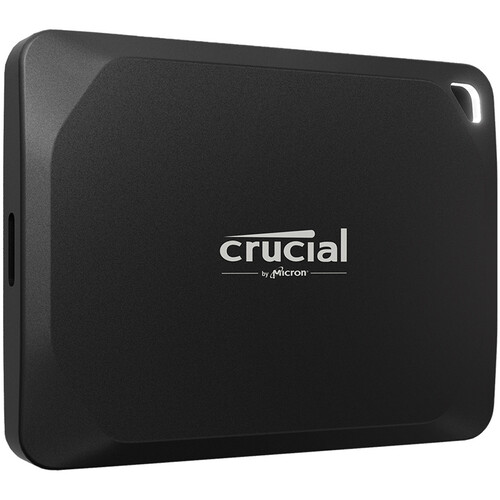
The X10 Pro delivers flagship-level performance at a mid-range price point. With USB 3.2 Gen 2×2 support, it achieves real-world speeds approaching 2,100MB/s – fast enough to edit 4K video directly from the drive while remaining affordable for most creators.
Rating: 4.5
Pros
- Exceptional 2,100MB/s speeds for the price
- Available in capacities up to 4TB
- Hardware encryption with password protection
- Compact keychain-friendly design
Cons
- Requires a USB 3.2 Gen 2×2 port for full speed
- Performance limited to 1,000MB/s on standard USB ports
- No IP rating for water/dust resistance
Who is this for?
Creators who want professional-level performance without premium pricing and have modern devices with faster USB ports.
Ultimate
OWC Envoy Pro FX
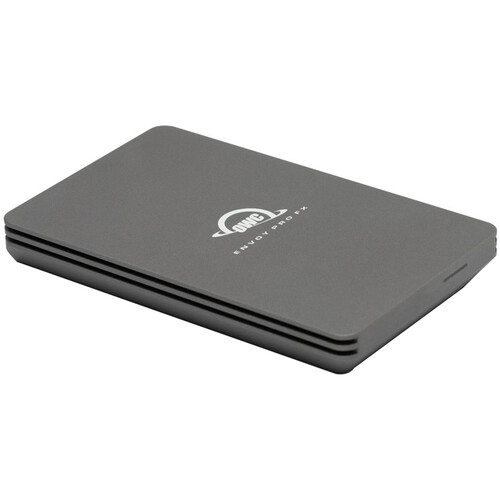
The Envoy Pro FX stands out as the only external SSD offering both Thunderbolt 3/4 and USB connectivity in one device. With speeds up to 2,800MB/s over Thunderbolt, it’s the ultimate portable storage for professional workflows.
Rating: 4.8
Pros
- Dual Thunderbolt 3/4 and USB 3.2 compatibility
- Blazing 2,800MB/s speeds over Thunderbolt
- IP67 water and dust rating
- Military-grade drop protection
Cons
- Premium pricing reflects professional positioning
- Requires Thunderbolt connection for maximum performance
- Limited to 4TB maximum capacity
Who is this for?
Professional filmmakers and photographers who work with multiple devices and need the fastest possible portable storage without compatibility concerns.
OWC Express 1M2 (TB4)
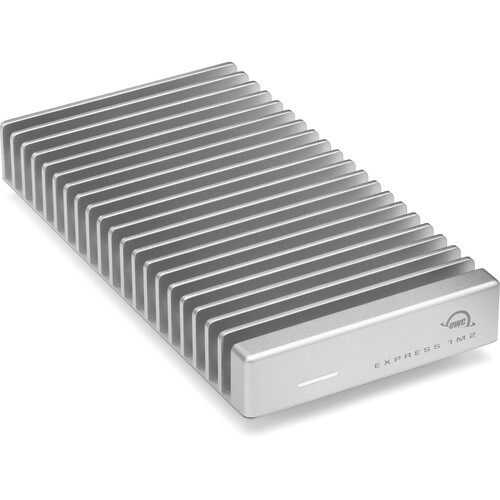
Note: The OWC Express 1M2 is primarily a USB4 device, but it’s also compatible with Thunderbolt 4 and Thunderbolt 3 ports. The same enclosure works across these interfaces, with performance scaling based on the connection type.
Rating: 4.8
Pros
- Universal compatibility works seamlessly with USB4, Thunderbolt 4, and Thunderbolt 3 connections with automatic speed optimization.
- Professional-grade aircraft aluminum construction with patent-pending heat sink design ensures reliable performance under demanding workloads.
- Future-proof design supports current NVMe SSDs up to 8TB and will accommodate larger capacities as technology advances.
Cons
- Maximum performance is limited to connection type, with Thunderbolt 3 systems restricted to 20Gbps rather than full 40Gbps speeds.
- Substantial size and weight compared to traditional portable SSDs may not suit users prioritizing ultra-portability.
- Requires investment in high-quality NVMe SSD to achieve advertised performance levels, increasing total system cost.
Who is this for?
Professional users with mixed system environments who need a single high-performance storage solution that works optimally across USB4, Thunderbolt 4, and Thunderbolt 3 connections.
ProGrade Digital PG10
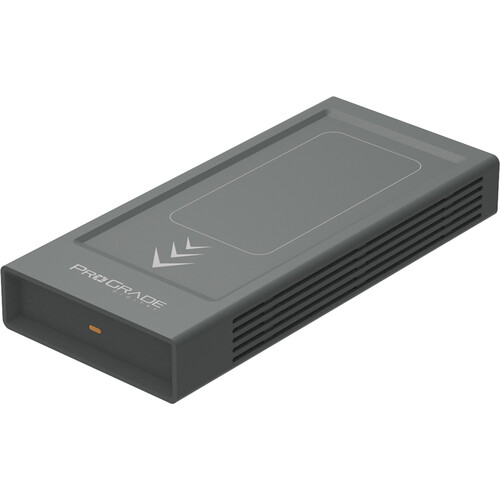
ProGrade Digital’s flagship external SSD delivers professional-grade performance with sustained write speeds that don’t drop during extended transfers. Available in capacities up to 8TB, it’s designed specifically for demanding video workflows and high-volume photo editing.
Rating: 4.8
Pros
- Exceptional sustained write speeds of 2,000MB/s (4TB/8TB) with no cache depletion during long transfers
- Professional dual heat sink design prevents thermal throttling during intensive workflows like 8K video editing
- Power-sensing LED indicator alerts users when the host device isn’t providing the recommended 15W for optimal performance
Cons
- Premium pricing reflects professional positioning and specialized workflow optimization features
- Requires USB4 or Thunderbolt 4 connections to achieve maximum performance specifications
- Larger physical footprint compared to consumer portable SSDs due to professional cooling requirements
Specs
- Interface: USB4 (40Gbps), compatible with Thunderbolt 4/3
- Read Speed: Up to 2,500MB/s (v1), 3,000MB/s (v2)
- Write Speed: Up to 2,500MB/s (v1), 3,000MB/s (v2)
- Sustained Write: 1,500MB/s (2TB), 2,000MB/s (4TB/8TB)
- Capacities: 2TB, 4TB, 8TB
- Construction: Dual internal heat sink design
- Power: 15W recommended, LED indicator
- Software: Refresh Pro compatibility for health monitoring
- Warranty: 3 years
- Includes: Rugged carrying case, certified USB4 cable
Who is this for?
Professional videographers and photographers working with 8K footage, ProRes workflows, and multi-TB file transfers who need guaranteed sustained performance without thermal throttling.
External SSD Enclosures
External enclosures let you build custom portable storage solutions using standard M.2 NVMe SSDs. This approach offers flexibility in choosing capacity, performance, and price while often providing better value than pre-built drives. You can upgrade the internal SSD as needed and choose from a wide range of interface options.
Budget
TerraMaster D1 SSD Plus
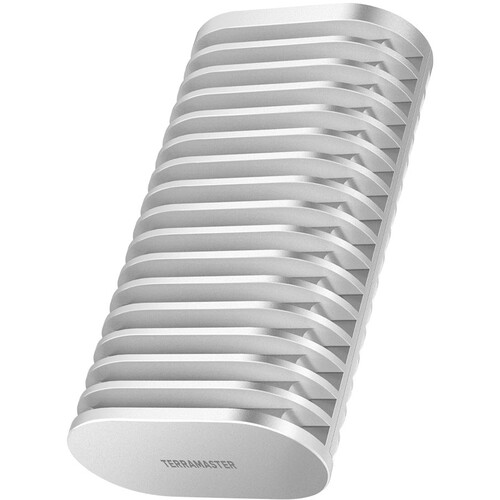
TerraMaster’s compact enclosure transforms any M.2 NVMe SSD into a portable external drive. The aluminum construction provides good heat dissipation while the USB 3.2 Gen 2 interface delivers solid 1,000MB/s performance at an affordable price point.
Rating: 3.9
Pros
- Supports any standard M.2 2242/2260/2280 SSD
- Tool-free SSD installation
- Excellent value compared to pre-built drives
- Compact aluminum design with heat dissipation
Cons
- Limited to USB 3.2 Gen 2 speeds (1,000MB/s)
- No IP rating for environmental protection
- SSD must be purchased separately
Who is this for?
Budget-conscious creators who need flexibility in choosing their own SSDs, who don’t require maximum speed.
Sabrent EC-SNVE
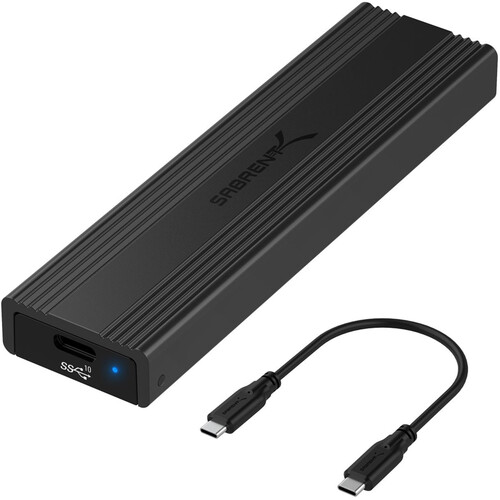
A simple, affordable enclosure that gets the job done without frills. The Sabrent EC-SNVE offers USB 3.2 Gen 2 speeds and tool-free installation in a compact design that’s perfect for basic portable storage needs.
Rating: 3.9
Pros
- Very affordable entry point for DIY external storage
- Tool-free SSD installation
- Compact and lightweight design
- Works with any M.2 NVMe SSD
Cons
- Basic plastic construction
- Limited to 1,000MB/s speeds
- No advanced features or software
Who is this for?
Users who want the most affordable way to convert an internal SSD to external storage.
Best
ORICO M.2 Enclosure
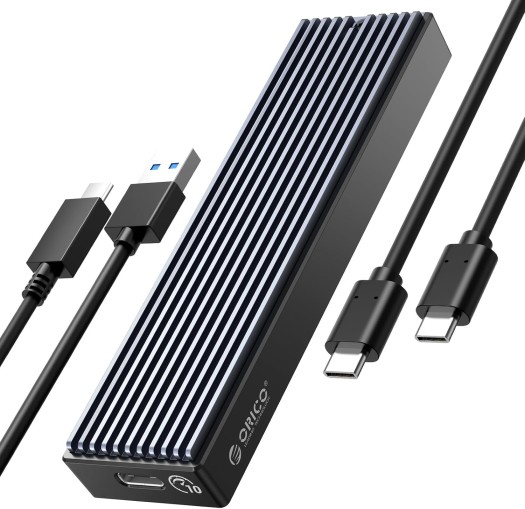
An affordable USB 3.1 Gen 2 NVMe enclosure that offers solid performance and transparent design aesthetics. Available in multiple variants, including 10Gbps, 20Gbps, and USB4 models to suit different budgets and performance needs.
Rating: 4.1
Pros
- Budget-friendly pricing makes high-speed NVMe storage accessible to more users without significant investment.
- Tool-free installation process with clear transparent design allows easy SSD installation and visual confirmation.
- Multiple connectivity options available, including standard USB 3.1, 20Gbps, and USB4 variants for different use cases.
Cons
- Build quality feels less premium than aluminum alternatives with plastic construction that may crack under stress.
- Heat management can be problematic during sustained transfers, especially with high-performance NVMe SSDs installed.
- Performance inconsistencies were reported across different models, with some users experiencing disconnection issues during heavy use.
Who is this for?
Budget-conscious users who want to repurpose existing NVMe SSDs or need affordable external storage without requiring premium build quality or maximum performance.
Satechi USB4 NVMe SSD Pro
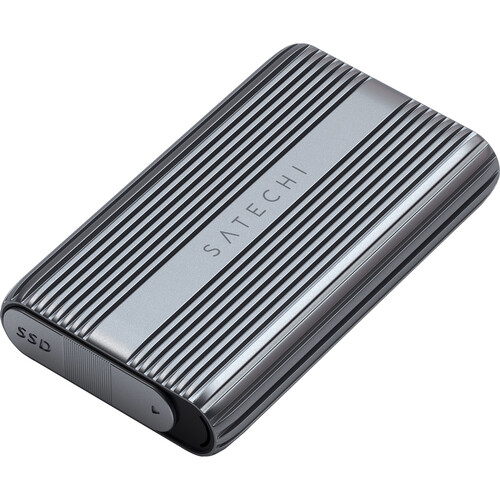
A premium USB4 enclosure featuring an elegant design and professional performance. The Satechi enclosure combines aluminum construction with polycarbonate casing for optimal heat dissipation and delivers up to 3,840MB/s transfer speeds with tool-free installation.
Rating: 4.2
Pros
- Tool-free installation with a silicone pin system allows easy SSD swapping without screwdrivers or tools
- Premium aluminum and polycarbonate construction provide excellent heat dissipation while maintaining elegant aesthetics
- Wide compatibility supports USB4, Thunderbolt 5/4/3 interfaces with backward compatibility to USB 3.2 and 2.0
Cons
- Premium pricing puts it in competition with pre-built professional SSDs rather than budget enclosures
- Not compatible with double-sided NVMe SSDs or drives with pre-installed heat sinks
- Short included USB4 cable may require additional cable purchase for optimal device placement
Specs
- Interface: USB4 (40Gbps), Thunderbolt 5/4/3 compatible
- Max Speed: Up to 3,840MB/s read, 3,200MB/s write
- SSD Support: M.2 NVMe 2280/2260/2242/2230, up to 8TB
- Construction: Aluminum with polycarbonate thermal case
- Installation: Tool-free with silicone pin system
- Dimensions: 4.4 × 2.7 × 0.9 inches (112 × 69 × 23mm)
- Weight: 7 oz (197g)
- Includes: USB4 cable (5.9″/15cm), thermal pad, clear case
- Compatibility: Mac, PC, Linux, iPad
- Warranty: 2 years
Who is this for?
Creative professionals who want the flexibility of choosing their own NVMe SSD while maintaining premium build quality and maximum USB4 performance.
UGREEN 40Gbps M.2 Enclosure
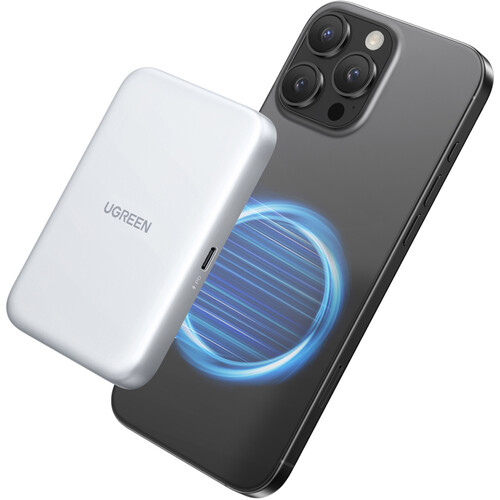
A feature-rich USB4 enclosure with active cooling that delivers exceptional performance and reliability. The UGREEN enclosure features intelligent thermal management and premium aluminum construction for sustained high-speed operation.
Rating: 4.2
Pros
- Intelligent PWM cooling fan automatically adjusts speed based on temperature, keeping SSDs up to 20°C cooler during intensive transfers
- ASM2464PD chipset provides excellent compatibility across USB4, Thunderbolt 4/3, and backward compatibility to USB 2.0
- S.M.A.R.T. monitoring with TRIM optimization ensures data security and maintains optimal SSD performance over time
Cons
- An active cooling fan generates noise that may be distracting in quiet environments compared to fanless alternatives
- Slightly larger footprint than passive enclosures due to internal cooling system and ventilation requirements
- Premium pricing compared to basic USB 3.2 enclosures, though competitive for USB4 performance levels
Specs
- Interface: USB4 (40Gbps), Thunderbolt 4/3 compatible
- Max Speed: Up to 3,800MB/s read, 3,000MB/s write
- SSD Support: M.2 NVMe M-Key/B+M-Key 2280/2260/2242/2230, up to 8TB
- Chipset: ASMedia ASM2464PD with USB4/Thunderbolt certification
- Cooling: PWM intelligent turbo fan with automatic speed control
- Construction: Aluminum alloy with thermal pads
- Features: S.M.A.R.T., TRIM, UASP support
- Dimensions: 4.5 × 2.1 × 0.8 inches (115 × 53 × 20mm)
- Includes: Anti-drop silicone case, USB4 cable, installation tools
- Compatibility: Windows, macOS, Linux, Android
- Warranty: Not specified
Who is this for?
Power users and content creators who need maximum USB4 performance with active cooling for sustained workloads like 8K video editing or large file transfers.
Ultimate
CalDigit Tuff Nano Plus 2TB
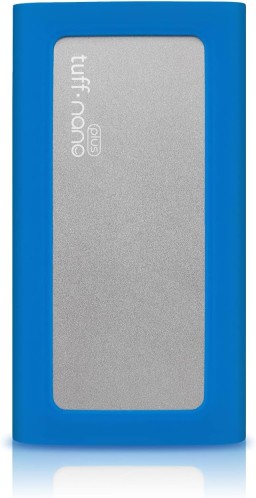
The pinnacle of rugged portable storage, this military-grade SSD features IP67 waterproofing, 3-meter drop protection, and blazing-fast NVMe performance. Pre-loaded with a premium SSD and optimized for professional workflows, it’s built to survive the harshest environments while delivering consistent 1,088 MB/s speeds.
Rating: 4.8
Pros
- Military-tested durability with IP67 certification for complete dust and water resistance up to 1 meter depth
- Exceptional sustained performance at 1,088 MB/s read speeds with no throttling during extended use
- Premium all-aluminum construction with protective rubber bumper and included carrying case
Cons
- Premium pricing reflects professional-grade build quality and features
- Slightly larger than basic portable drives due to rugged construction
- Pre-formatted for macOS, requiring Windows users to reformat before use
Specs
- Capacity: 2TB
- Interface: USB-C 3.2 Gen 2 (10 Gbps)
- Compatibility: Thunderbolt 3/4, USB4, USB-C, USB-A (with adapter)
- Performance: Up to 1,088 MB/s read, up to 1,000 MB/s write
- Durability: IP67 rated, 3-meter drop tested, MIL-STD tested
- Dimensions: 4.01″ x 2.14″ x 0.57″ (10.19 x 5.44 x 1.45 cm)
- Weight: 0.22 lbs (100g)
- Warranty: 2 years
- Included: USB-C to USB-C cable, carrying case, rubber protective bumper
Who is this for?
Professional photographers, videographers, and content creators who need maximum durability and performance for mission-critical work in challenging environments.
Acasis TBU405
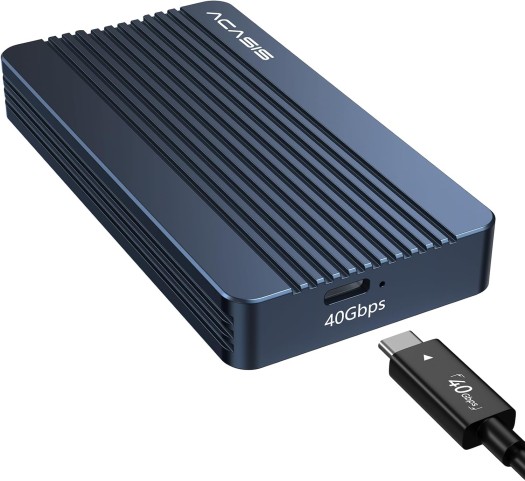
A professional-grade Thunderbolt 4 enclosure that combines maximum performance with robust build quality. The TBU405 delivers consistent 2,500MB/s+ speeds while maintaining excellent thermal management for sustained professional use.
Rating: 4.7
Pros
- Thunderbolt 4 interface for maximum compatibility
- Excellent sustained performance with thermal management
- Professional build quality at competitive pricing
- Supports the latest M.2 NVMe SSDs
Cons
- Limited to Thunderbolt-equipped devices
- Higher cost than USB alternatives
- Professional features may be unnecessary for casual use
Who is this for?
Professional content creators who need Thunderbolt performance with better value than premium brand alternatives.
LaCie Rugged SSD 2TB
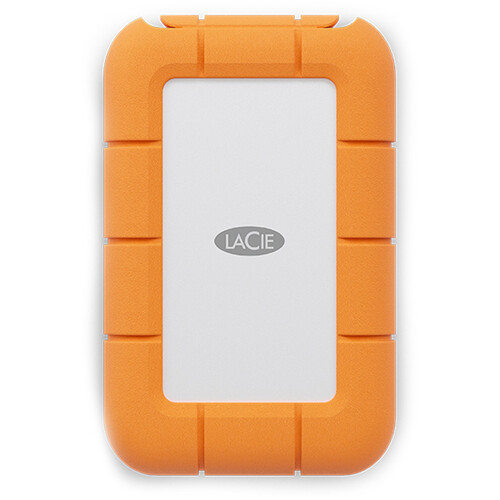
A professional-grade rugged SSD combining Seagate FireCuda NVMe performance with military-standard durability. Built for content creators who need reliable speeds for 4K video workflows and extreme IP67 protection, this palm-sized drive delivers consistent performance with comprehensive data protection services.
Rating: 4.6
Pros
- Solid NVMe performance up to 1,050 MB/s with Seagate FireCuda technology for smooth 4K video editing
- Extreme durability featuring IP67 waterproofing, 3-meter drop resistance, and 2-ton crush protection
- Complete professional package includes 5-year warranty, Rescue Data Recovery Services, and Adobe Creative Cloud membership
Cons
- Performance is limited to USB 3.2 Gen 2 speeds rather than higher-end Thunderbolt interfaces
- No port cover protection, despite an IP67 rating, may allow dust accumulation over time
- Higher price point compared to basic portable SSDs without professional features
Specs
- Capacity: 2TB
- Interface: USB-C 3.2 Gen 2 (10 Gbps), Thunderbolt 3 compatible
- Performance: Up to 1,050 MB/s read, up to 1,000 MB/s write
- Durability: IP67 rated, 3-meter drop tested, 2-ton crush-resistant
- Dimensions: 3.85″ x 2.55″ x 0.66″ (9.8 x 6.5 x 1.7 cm)
- Weight: 0.22 lbs (100g)
- Security: Seagate Secure self-encrypting technology
- Warranty: 5 years with Rescue Data Recovery Services
- Included: USB-C cable, USB-C to USB-A adapter, Adobe Creative Cloud (1 month)
Who is this for?
Professional photographers, videographers, and content creators who need reliable 4K video performance with military-grade durability for field work.
Complete Comparison Chart
| Product | Price Range | Capacity Options | Interface | Max Read Speed | Dimensions (L×W×H) | Weight | Special Features |
| Budget Tier | |||||||
| ORICO M.2 NVMe Enclosure | $25-35 | Up to 8TB (SSD not included) | USB-C 3.2 Gen 2 | Up to 1,000 MB/s* | 4.1″ × 1.2″ × 0.4″ | 0.2 lbs | Tool-free installation, aluminum heat sink |
| Sabrent Rocket Nano V2 1TB | $89-119 | 1TB, 2TB | USB-C 3.2 Gen 2 | Up to 1,000 MB/s | 2.7″ × 1.1″ × 0.4″ | 0.08 lbs | Ultra-compact design, no moving parts |
| Best Reviewed Tier | |||||||
| ACASIS USB4 NVMe Enclosure | $79-99 | Up to 8TB (SSD not included) | USB4/Thunderbolt 3 | Up to 2,800 MB/s* | 4.3″ × 1.3″ × 0.5″ | 0.3 lbs | USB4 40Gbps, aluminum cooling, tool-free |
| Samsung T9 Portable SSD 2TB | $199-249 | 1TB, 2TB, 4TB | USB-C 3.2 Gen 2 | Up to 2,000 MB/s | 3.4″ × 2.3″ × 0.4″ | 0.2 lbs | Dynamic Thermal Guard, AES 256-bit encryption |
| Ultimate Tier | |||||||
| OWC Express 1M2 USB4 Enclosure | $199-249 | Up to 8TB (SSD not included) | USB4/Thunderbolt 4 | Up to 3,000 MB/s* | 4.5″ × 1.8″ × 0.6″ | 0.4 lbs | 40Gbps USB4, premium aluminum heatsink |
| LaCie Rugged SSD 2TB | $229-279 | 1TB, 2TB, 4TB | USB-C 3.2 Gen 2 | Up to 1,050 MB/s | 3.85″ × 2.55″ × 0.66″ | 0.22 lbs | IP67 rated, 2-ton crush-resistant, hardware encryption |
Notes:
- *Maximum speed depends on the installed SSD performance for enclosure-only products
- All weights are approximate and may vary by capacity
- Prices shown are typical retail ranges and may vary by retailer
- Interface compatibility: USB4 and Thunderbolt 3/4 are backward compatible with USB-C
- All products include USB-C cables; some include additional adapter cables
FAQs
Should I buy a pre-built external SSD or build my own with an enclosure? Pre-built drives offer convenience, warranty coverage, and guaranteed compatibility. Enclosures provide flexibility, better value, and upgrade potential. Choose pre-built for simplicity, enclosures for customization, and cost savings.
How fast should my external SSD be for 4K video editing? For smooth 4K editing, aim for at least 1,000MB/s sustained transfer speeds. The Samsung T9 (2,000MB/s) and Crucial X10 Pro (2,100MB/s) provide excellent headroom for demanding codecs like ProRes. For 8K workflows, consider Thunderbolt enclosures like the OWC Express 1M2.
Do I need Thunderbolt, or is USB 3.2 sufficient? USB 3.2 Gen 2×2 (20Gbps) handles most creative workflows, including 4K video editing. Thunderbolt 3/4 (40Gbps) benefits users working with 8K footage, large RAW photo batches, or multiple high-resolution streams simultaneously. The OWC Envoy Pro FX offers both options.
What are the advantages of external enclosures over pre-built drives? Enclosures let you choose your own SSD for better performance or value, upgrade capacity later, and often cost less than equivalent pre-built drives. The TerraMaster D1 SSD Plus, equipped with a quality M.2 SSD, usually outperforms more expensive pre-built options.
How important is durability for portable SSDs? Very important for field work. Look for IP ratings (water/dust resistance) and drop certification. The Samsung T7 Shield (IP65, 9.8ft drops) and Crucial X10 (IP65) handle outdoor shooting conditions. Most enclosures lack environmental protection, so factor this into your decision.
What capacity should I choose for photo and video work? For photographers: 1-2TB handles large RAW libraries. For videographers: 2TB minimum for 4K projects, 4TB+ for longer productions. The Crucial X10’s 8TB option suits users with massive archives or multiple active projects.
Can I use external enclosures with any M.2 SSD? Most enclosures support standard M.2 2280 NVMe SSDs, but check compatibility. Some support multiple sizes (2242, 2260, 2280). Performance depends on both the enclosure’s interface and the chosen SSD’s capabilities.
Are external SSDs reliable for long-term storage? While more reliable than mechanical drives, SSDs aren’t ideal for long-term archival storage. Use external SSDs for active projects and working files, then archive to cloud storage or traditional drives. Most external SSDs include 3-5 year warranties.
How do I secure sensitive client data on portable drives? Look for hardware encryption support. The Samsung T7 Touch offers fingerprint authentication, while the Crucial X10 Pro and OWC Envoy Pro FX support password-based AES 256-bit encryption. Always enable security features for client work.
What’s the difference between sequential and random performance? Sequential speeds (like 2,000MB/s) apply to large file transfers. Random performance affects small file operations and general responsiveness. For video editing and large file transfers, focus on sequential speeds. For running applications directly from the drive, random performance matters more.
Should I buy now or wait for USB4 drives? Current USB 3.2 Gen 2×2 drives like the Samsung T9 and Crucial X10 Pro offer excellent performance for most creative workflows. USB4 drives provide more headroom but at a higher cost. Unless you’re working with 8K footage regularly, today’s drives are more than sufficient.
Do I need Thunderbolt, or is USB 3.2 sufficient? USB 3.2 Gen 2×2 (20Gbps) handles most creative workflows, including 4K video editing. Thunderbolt 3/4 (40Gbps) benefits users working with 8K footage, large RAW photo batches, or multiple high-resolution streams simultaneously. The OWC Envoy Pro FX offers both options.
Can I use these drives with older computers? Most external SSDs work with older USB ports, but at reduced speeds. USB 3.0 limits performance to around 500MB/s regardless of the drive’s capability. The OWC Envoy Pro FX includes USB-A adapters for maximum compatibility.
Do I need software for external SSDs? Most drives work plug-and-play without software. Samsung includes Samsung Magician for monitoring and optimization. OWC provides a Drive Guide for formatting and security setup. Third-party tools like CrystalDiskInfo can monitor drive health.
What’s the difference between Thunderbolt 3 and Thunderbolt 4 enclosures? Both offer 40Gbps bandwidth, but Thunderbolt 4 provides better compatibility, universal USB4 support, and stricter certification requirements. For pure speed, they’re equivalent, but Thunderbolt 4 ensures future compatibility with new computers.