
Nikon Z5 II Review – The Best Nikon for the Serious Photographer, and for Some Videographers

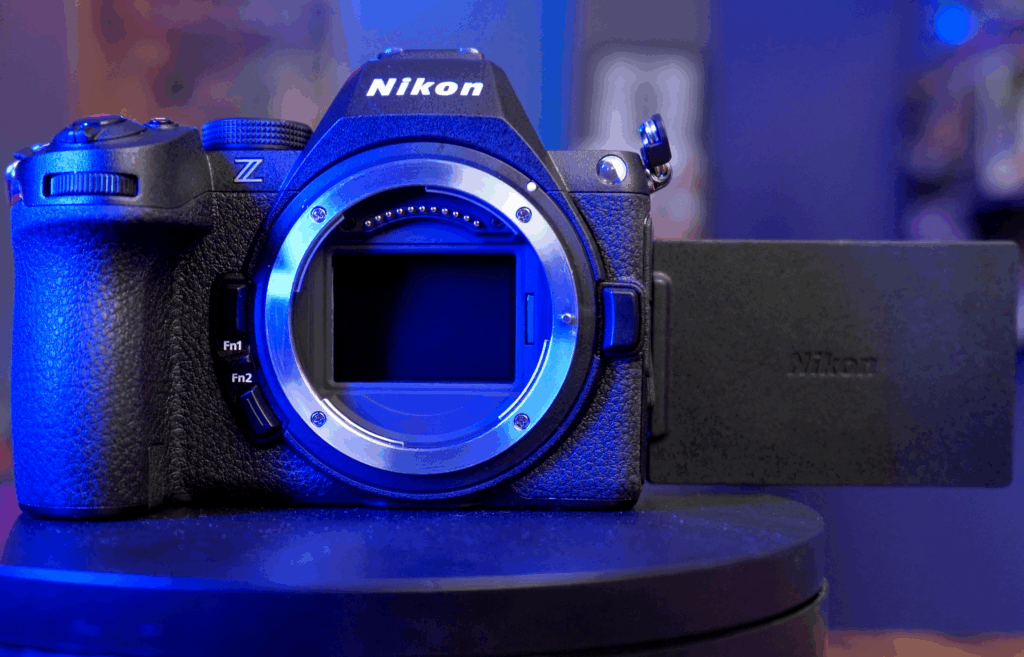
Table of Contents
-
 Low-Light Performance That Exceeds Expectations
 -
GALLERY
-
Nikon Z5 II Image Quality
-
Autofocus is Reliable
-
Key Photo Specifications for Photographers
-
Video Performance for Content Creators and YouTubers
-
Nikon Z5 II vs Z6 III: Which is Right for you?
-
Watch Our Nikon Z6 III Review
-
Why the Z5 II Is Excellent for Photography
-
Should You Buy the Nikon Z5 II?
There have been several Nikon cameras that really stood out to me, and the Nikon Z5 II is joining their ranks. All of these standouts are cameras that include some pro-level features, but in a smaller, lighter, and more affordable body.
Two of Nikon’s DSLRs, the Nikon D850 and Nikon D750 were also standout cameras in my mind. The D850 was, at launch, my pick for the best Nikon DSLR ever, a title it still holds in my mind.
The D850 took the flagship Nikon D4 DSLR and crammed it into a more traditionally sized body. Very few compromises were made to shoehorn pro-level tools into the smaller body though. It was a pro camera, just smaller.
The Nikon D750 was a step below the D850 in terms of features. More affordable than the D850, the D750 had a nicely rounded set of tools, but it was targeted toward a high-end enthusiast customer rather than a working pro.
Both of these cameras were successful because they picked their customer and stuck to the features those customers would want, with no unnecessary bells and whistles.
These two cameras are nearly directly parallel in today’s Nikon lineup. The Nikon Z8 and Z6 III are closest to the D850, with the Z8 targeting the pro photographer customer, and the Z6 III aiming for the video crowd.
The Z5 II is very similar to the D750, and it’s unapologetically targeting the photographer who doesn’t need advanced video tools. It’s polished, has the best features of Nikon’s higher-end models, is compact, and is several hundred dollars less than the D750 of old.
This camera is the successor to the Nikon Z5, and like its siblings, the Z6 and Z7, the first version did not have fantastic autofocus. Nikon won’t admit to that, but anybody who worked with those systems knows they were not on par with competitors. But the mark II and mark III versions of all these cameras have really upped the ante.

The Nikon Z5 II is a full-frame mirrorless camera with a 24.3-megapixel CMOS sensor and the EXPEED 6 processor. It supports 4K UHD recording up to 60 fps (with a 1.7× crop) and Full HD at 120 fps. The camera includes 5-axis in-body image stabilization, a 273-point hybrid autofocus system with subject detection, and dual UHS-II SD card slots. It features a 2.36-million-dot EVF, 3.2-inch tilting touchscreen, weather-sealed magnesium alloy body, and USB-C power delivery. Connectivity options include Wi-Fi and Bluetooth for wireless transfer and tethering.
- Excellent autofocus with subject detection for people, animals, vehicles, and airplanes
- Outstanding low-light performance with usable images up to ISO 12,800
- Compact and lightweight body ideal for travel
- 5-stop in-body image stabilization
- Dual card slots (CFexpress Type B/XQD and SD UHS-II)
- Clean 4K video with 10-bit N-Log recording
- Flip-out LCD perfect for vlogging and self-recording
- Excellent battery life and menu system
- Pro-level features at an accessible price point
- Electronic shutter limited to 10 fps (5 fps mechanical)
- Video features don’t match the Z6 III for serious videographers
- 24-megapixel resolution is lower than that of some competitors ‘
- Sensor: 24.5MP Full-Frame BSI CMOS
- Processor: EXPEED 7
- Video Resolution: 4K 60p
- Continuous Shooting: 30 fps (electronic)
- Stabilization: 7.5-stop VR
- Viewfinder: 3.69m-Dot OLED EVF
- LCD: 3.2″ 2.1m-Dot vari-angle touchscreen
- Battery Life: Approx. 360 shots (CIPA)

The Nikon Z5 II will be one of those cameras that people hold onto for years longer than you’d suspect, as it is so well-tuned for its key users. This isn’t a camera with every feature under the sun—it’s a camera with the right features for the vast majority of photographers and social media content creators.
PRODUCT
Low-Light Performance That Exceeds Expectations
Nikon did not update the imaging sensor in the Z5 II; it’s still the same 24-megapixel sensor found in the Nikon Z5, but the new EXPEED 7 processor in the body improves nearly every aspect of operation.
In an era of 60-megapixel sensors, the 24-megapixel resolution of the Z5 II might not seem high enough resolution, but there are two reasons why this sensor was the right choice for this body.
The first reason, although debatable, is that 24 megapixels is large enough to create large-format output. You can easily make prints large enough to hang on your wall. You can print around 17×22 on a 300dpi printer without losing much detail.
For larger prints that will be viewed at a distance and that are output at 150 dots-per-inch, you can do around a 24×40 inch print without losing detail. And with Photoshop and other image editing tools able to scale images nearly perfectly, you can go much larger.
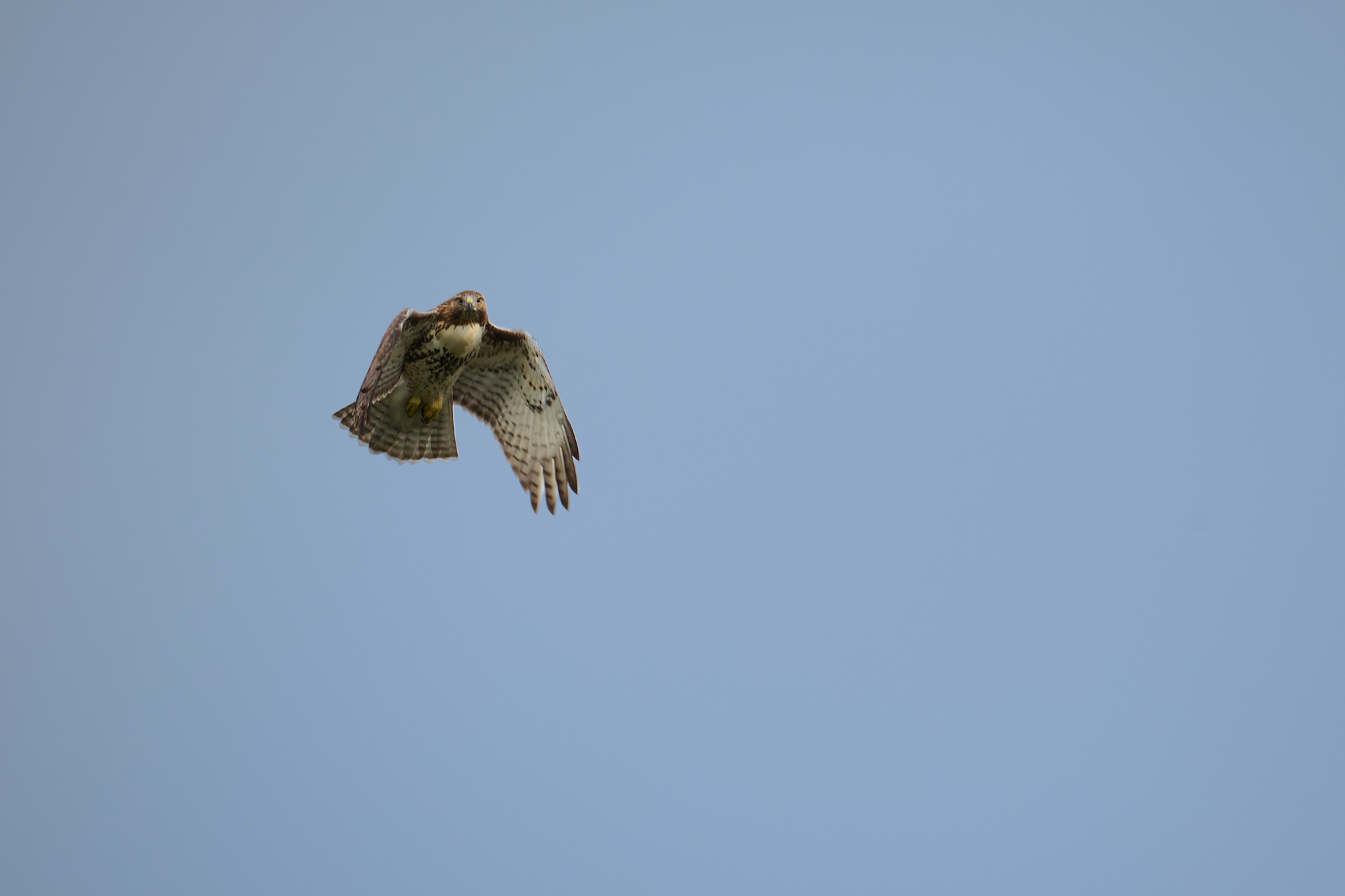
You can even crop nicely on a 24-megapixel sensor and still have great detail. This shot is about a 50% crop, and the hawk’s eyes are visible; the feathers have great detail.
The second reason that 24 megapixels is the right choice is light gathering. The resolution of a sensor is directly tied to its light-gathering ability: the fewer the pixels, the better the low-light performance.

Since a full-frame sensor is a fixed size, the more pixels you put on the sensor, the closer they have to be and the smaller they have to be.
The smaller and nearer the pixels are, the worse the low-light performance.


There’s a simple analogy to explain this. Place a glass and a bucket outside when it rains. Both the bucket and the glass will get the same height of water, but the bucket will have much more water in it. In this analogy, the water is incoming light, and the bucket is the bigger pixel. The more you gather, the better the low-light performance.
The native ISO range goes up to 51,200, expandable to 102,400. I wouldn’t shoot at 102,400 regularly, but the fact that you can push to ISO 12,800 and still get usable images is remarkable.
Wedding photographers, event shooters, and anyone working in challenging lighting conditions will appreciate what this sensor can do.
I loved most of the low-light shots I got with this camera, especially these scenes on a beach as the sun was setting. The sun was nearly set in some of these photos. The low-light performance is really great.

This shot was lit only by the red light above it. It’s grainy because I shot at ISO 36000 handheld, but there are stars visible in the sky. Here’s what it looks like after Photoshop’s AI denoise processing. Here’s the sky zoomed in.

Keep in mind that WordPress, which our site runs on, heavily compresses images on upload. There’s no way to show you the lack of noise in this image because noise is added back in when the image is recompressed.
And this photo is mostly noise, but I think it’s impressive because it was shot at ISO 64000 at 1/4th of a second at f/5. I was on f/5 because I forgot to change the aperture between the last shot and this one, but I ran this through Photoshop’s AI noise reduction, and I get this.

I mean, that’s ISO 64000 handheld at a quarter of a second. That’s Crazy.

GALLERY
Nikon Z5 II Image Quality
The image quality on the Z5 II is where this camera really stands out. The 24-megapixel sensor might not sound impressive on paper when you’re comparing it to 45-megapixel or 60-megapixel cameras, but for most photographers, 24 megapixels is more than enough resolution.


I haven’t seen a camera with bad image quality in the last decade, so it’s no surprise that the sensor in the Z5 II makes a great photo, but the resolution, plus the low noise from the sensor, makes the Nikon images easier to work with.
Nikon has always had great color science, and that continues here. Skin tones look natural without a lot of post-processing work, and the dynamic range is wide enough that you’ve got good latitude in both highlights and shadows during post.
Images from the Z5 II are beautifully rendered, with plenty of detail and accurate color.


In these close-up shots of bees, the plants are as vibrant as they appeared to me. This portrait of my son in front of fall foliage has good colors without getting oversaturated.

Autofocus is Reliable
The autofocus on the Z5 II is fantastic. I think Canon and Sony still have a little bit of the edge when it comes to eye detect autofocus and tracking subjects when they pass out of view or are temporarily obscured, but that gap is closing. This is a huge improvement over the original Z5.
The 299 phase-detect AF points cover approximately ninety percent of the frame, and the system includes subject detection for people, animals, vehicles, and airplanes. In my testing, the autofocus locks on and tracks subjects well, even in lower light conditions.
It works very well for people; it can easily focus on animals, including birds, and in my close-up shots of the bees, it was able to follow them as the flowers they were on were blown around in the wind.
I was impressed with the performance of the autorocus on birds of prey.
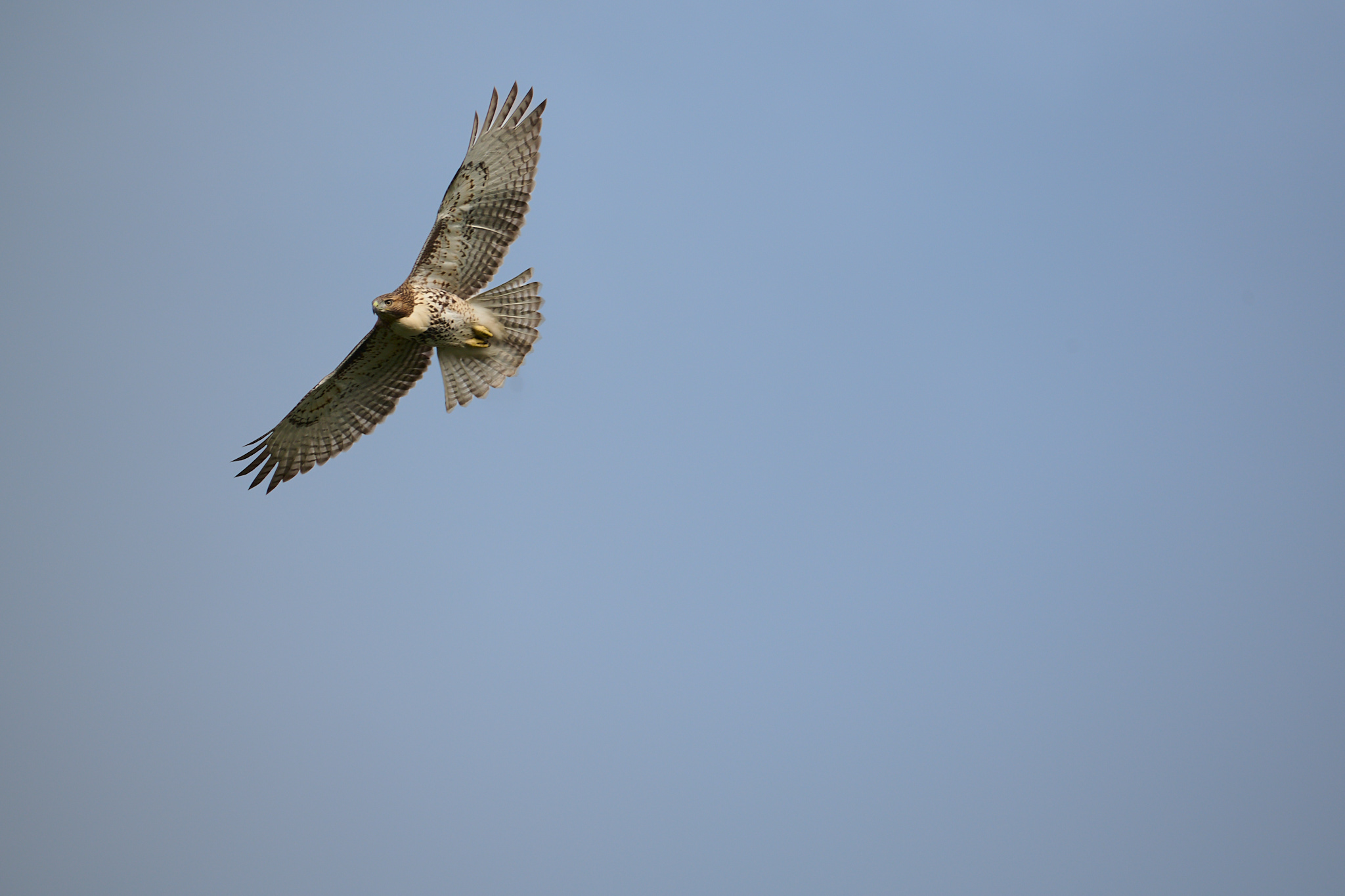
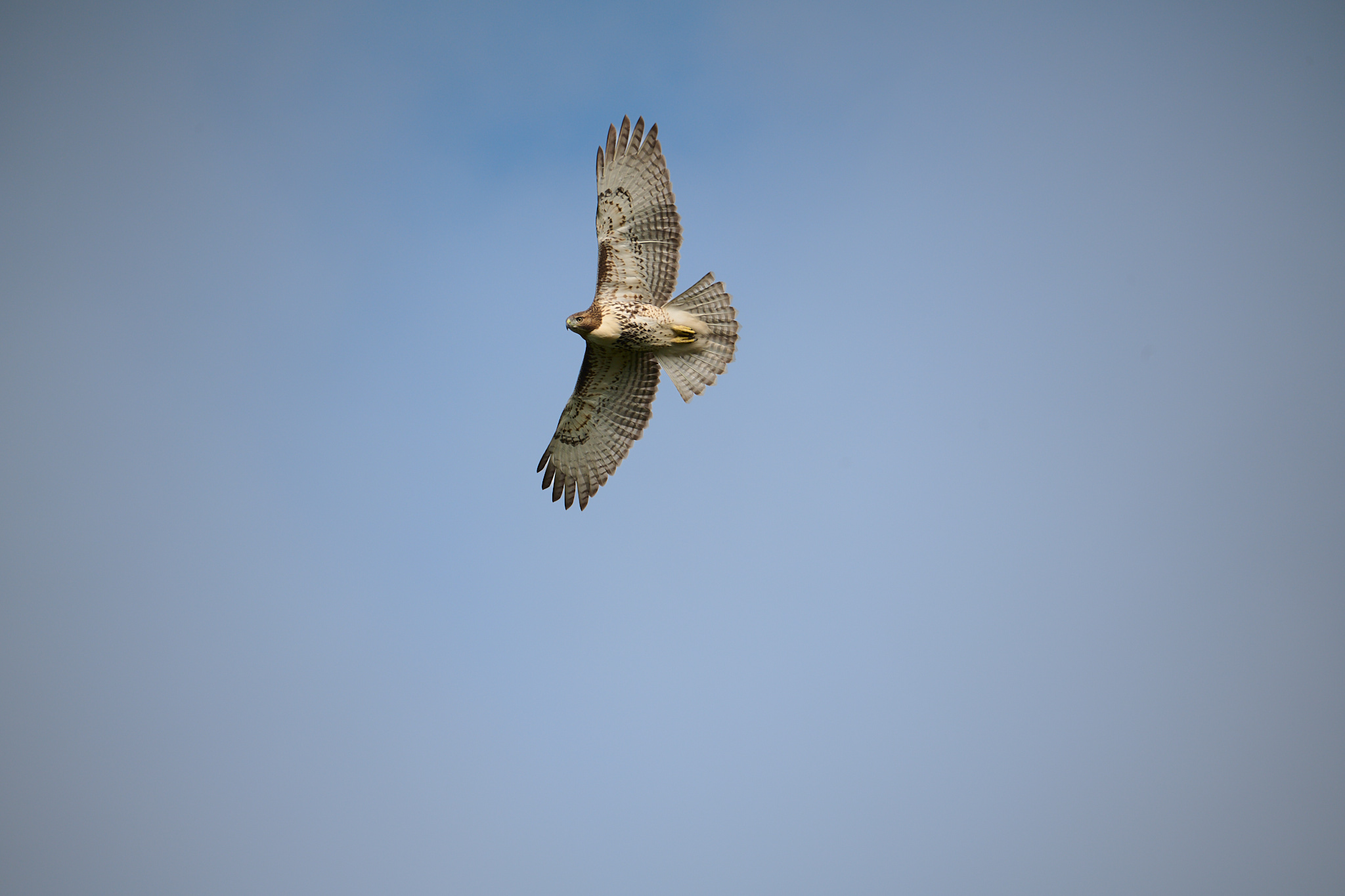
I was more impressed by these shots of bees. Not only did the AF catch them mid-gathering, but it tracked them flying. I had the animal detect on here, though these obviously aren’t the dogs and cats that mode is designed for. Without an “insect” subject detection setting, animal AF is as close as I could get. It’s hard to grab shots of bees in flight, and I hadn’t yet turned on the pre-release capture.




Key Photo Specifications for Photographers
The 24.3-megapixel full-frame sensor is paired with Nikon’s EXPEED 7 processor, which is the same processor found in the Z8 and Z9. This means you’re getting the latest processing power.
In-body image stabilization is rated at five stops, which in practice seems accurate but is hard to measure without expensive testing gear. I certainly had no problems walking and photographing at the same time, and the only real motion blur I experienced was user-error settings-wise.



You can handhold longer exposures than you’d expect, especially when paired with lenses that have their own stabilization. The photo earlier in the article that was taken at 1/4th of a second is a good example of this.
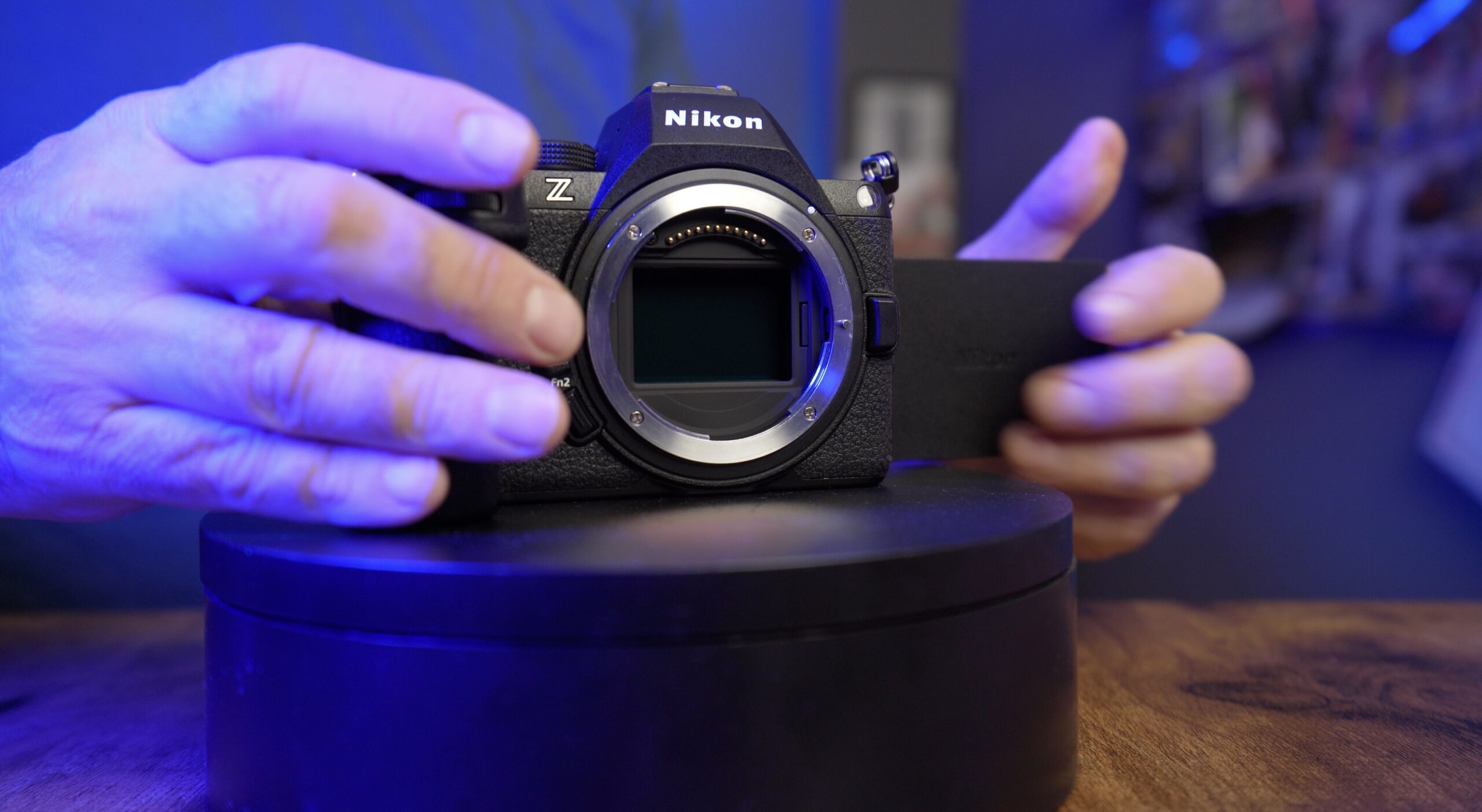
You also get pro-level speed with this camera. The max frame rate with mechanical shutter is eleven frames per second in RAW, and the electronic shutter goes up to thirty frames per second. That’s faster than any pro camera of five years ago could achieve, it’s double what the Z5 could do, and really, it’s all you need even for the fastest moving sports. But, and this is a big but, that 30 frames per second is JPEG only. So, you’re trading raw editing capabilities for speed. That’s fine for many shooters, but for pros, that might make this a no-go.
There’s also pre-release capture, which is my favorite function of the modern mirrorless era. When shooting birds and wildlife, it’s almost impossible to snag the moment the animal makes its move.
Before pre-release, I’d occasionally fire off some shots in case a hawk I was photographing was about to leap from its perch. With pre-release, I never have to worry about that. When my slow human brain detects movement, I press the shutter all the way, and the camera saves the shots before that moment.
All cameras should get this feature.
But, and again it’s another big but for some, the pre-release capture is JPEG, so that you might get that decisive moment, but it won’t be as high-res as if you were shooting one of Nikon’s other cameras that can capture RAW at the full frame rate.
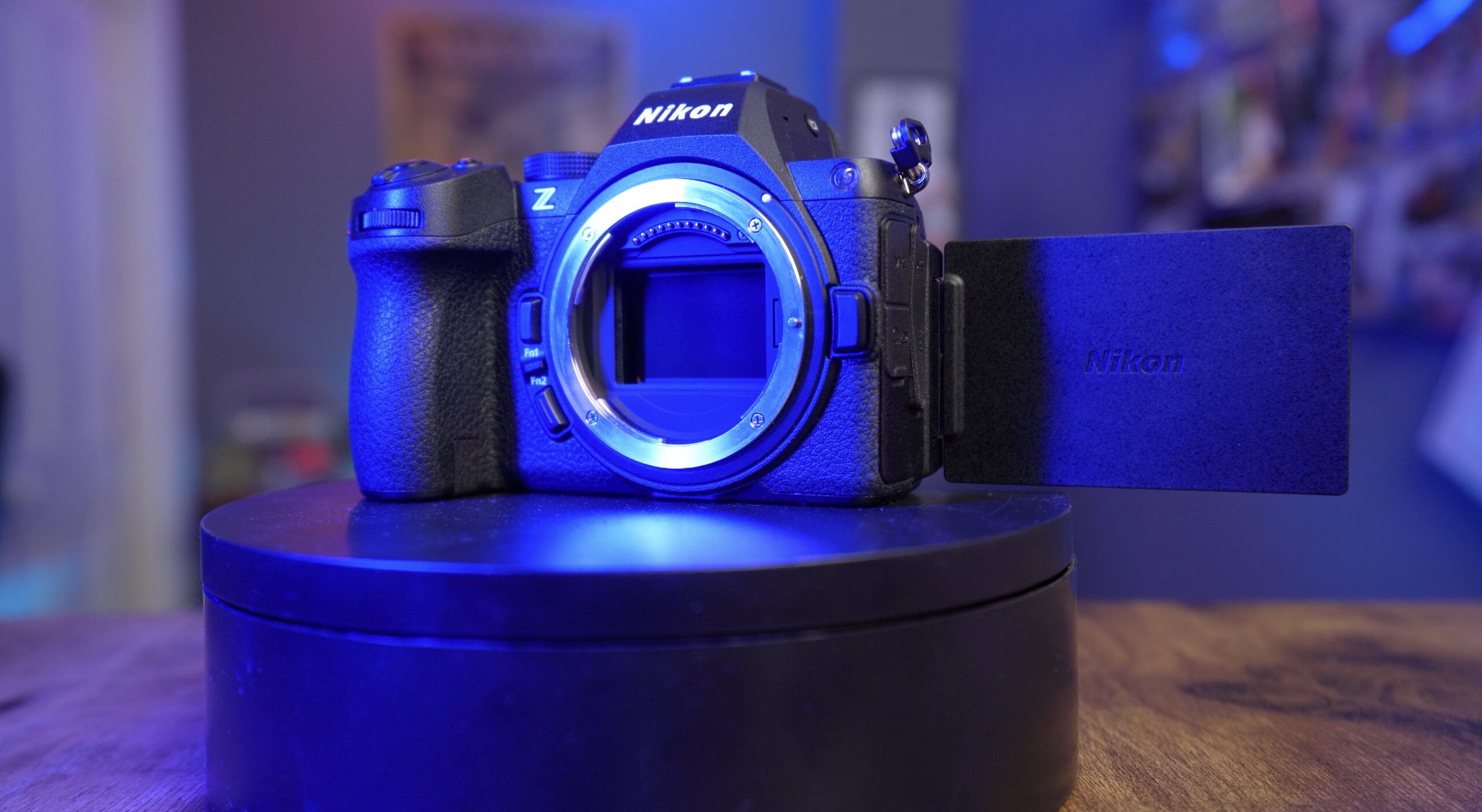
Dual card slots are critical for professionals, and the Z5 II delivers. You get one CFexpress Type B (CFe B) slot and one SD UHS-II slot. I appreciate having dual-slot redundancy, especially when shooting important events or travel photography, where you can’t go back and reshoot.
But, since it’s one CF E B and one SD card, a photographer needs to bring one of each card to have backup. And if they plan to fill up a card and switch to another one mid shoot, they’ll need another CFe B card and another SD card. Without the two different types of cards in your camera, there’s no backup capability.
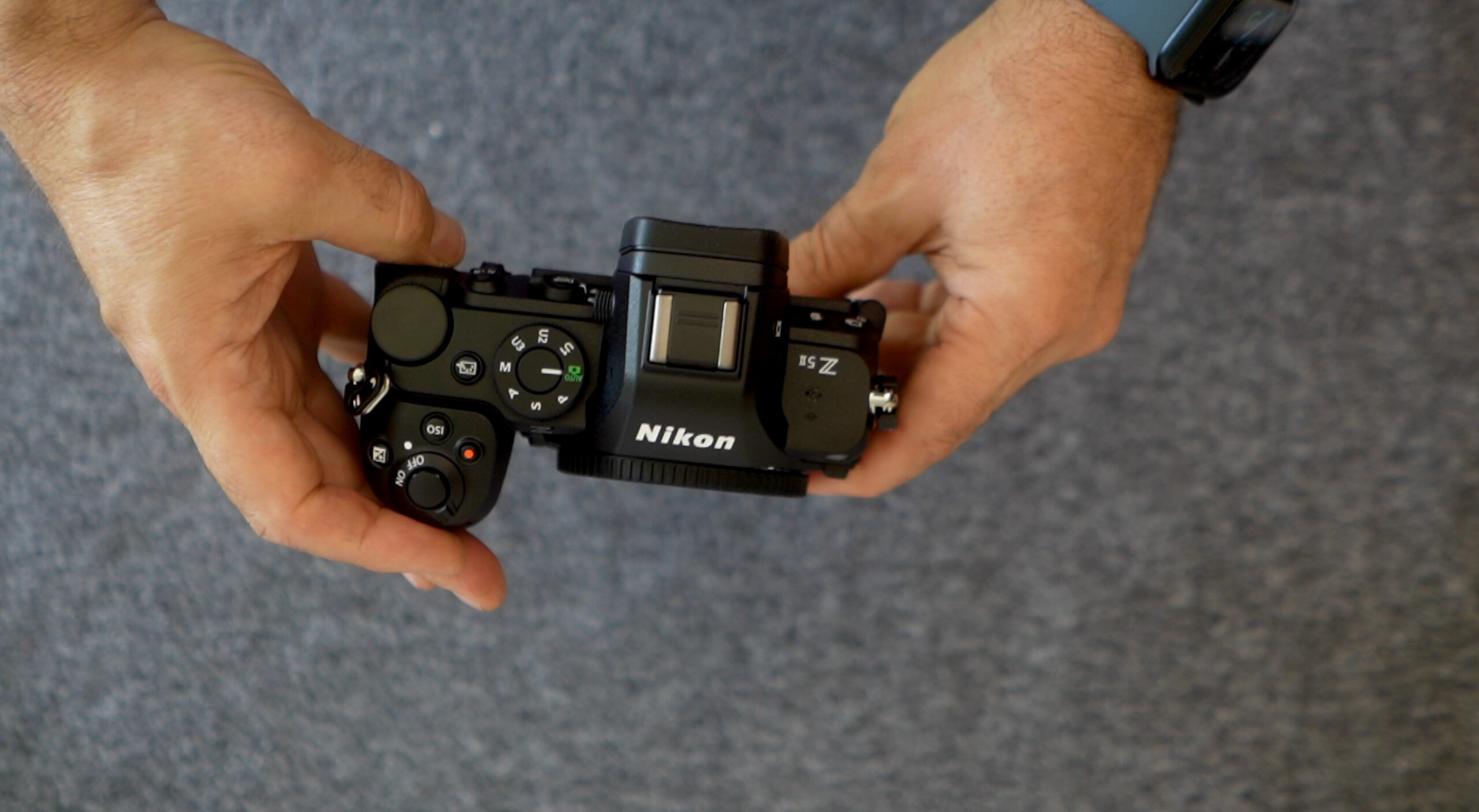
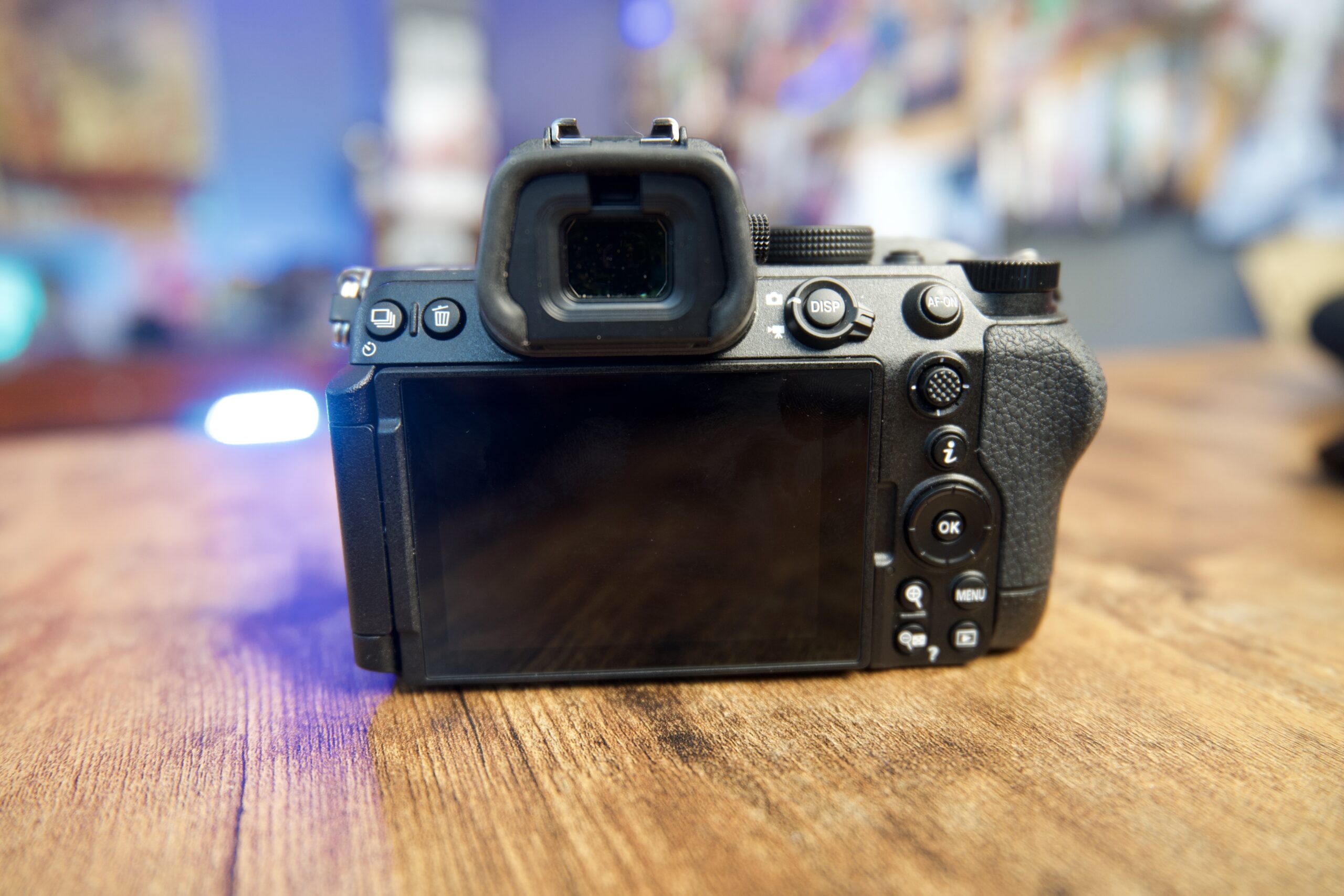
The battery is rated to perform slightly worse than on the Z5, likely because the EXPEED 7 processor takes up more power. While I didn’t have access to the Z5, the difference was not at all noticeable from what I remember of the Z5. On my final day of testing this camera, I shot back-to-back videos with combined times of just under an hour, and the battery still had plenty of juice.
I am a fan of the Nikon menu system. Sony’s system has a lot more settings and tweaks to it, but it is a confusing mess. Nikon and Canon have much better menu systems, with some features more accessible on each system. But as someone who’s been shooting Nikon cameras for decades, I’m more familiar with Nikon’s organization than Canon’s.
Video Performance for Content Creators and YouTubers
With a much faster processor than the previous version, the Z5 II handles better, but it is nothing to write home about. You can shoot 4K at up to 30fps, which gives you excellent image quality. For most YouTube content and social media posts, 4K/30 is perfect. You can capture 4K/60 but with a hefty 1.5x crop. All of my YouTube videos, including the one I shot for this video review, are captured at 4K/24.
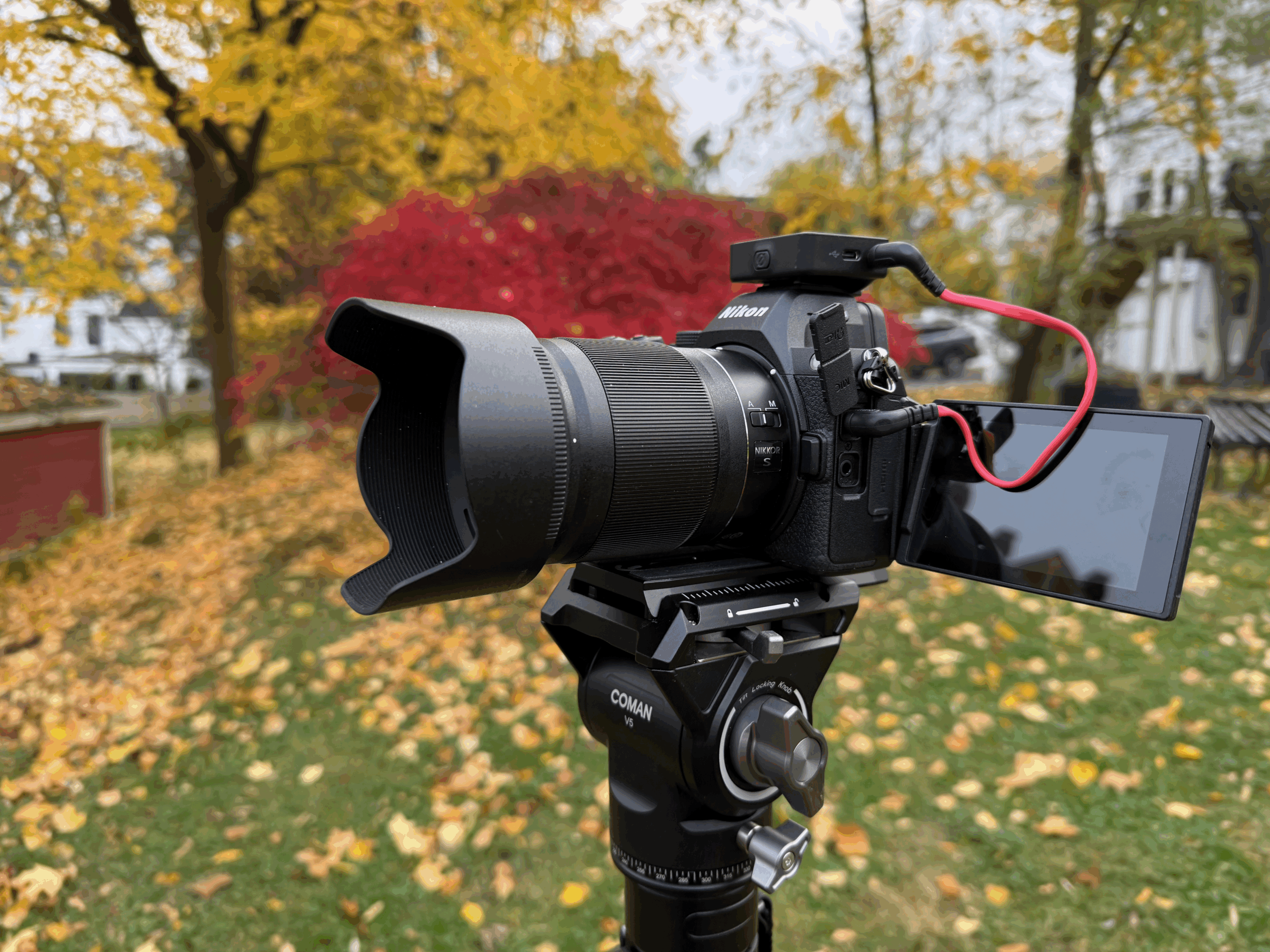
I’ve been using this camera for a lot of my A-roll footage, some studio work, and out in the field for B-roll, and it is great for those applications.
If you need slow motion, you can shoot 1080p at 120fps, which gives you nice 5x slow-mo in a 24p timeline. The 10-bit internal recording to N-Log gives you good color grading flexibility if you want to do more professional color work.
The flip-out LCD screen is more than good enough for vlogging and self-recording. The screen is bright and responsive, and having that articulation means you can get creative with your angles. The LCD screen gained an additional million dots, and it’s very usable in bright sunlight. The touchscreen is fast and responsive as well, which makes changing settings during video shooting easier when filming yourself.
Like other Nikon camcorders, there’s a toggle to switch between still photography and video mode, and settings in each mode are sticky.
I find the claimed five-stop IBIS system works well when shooting handheld video. For run-and-gun shooting where you’re moving around, the combination of in-body stabilization and a stabilized lens gives you footage that’s smooth enough to use without additional gimbal stabilization in many situations.
That said, the sensor isn’t “stacked,“ which is a term that refers to the circuitry and how fast the processor reads the sensor. Because it’s not a stacked sensor, the Z5 II exhibits rolling shutter when panning quickly. So if your shooting style is to move from place to place, recording a mostly static shot in each location, this is a good choice. It’s not such a good choice if you’re doing videos of airshows where you’re panning a lot.
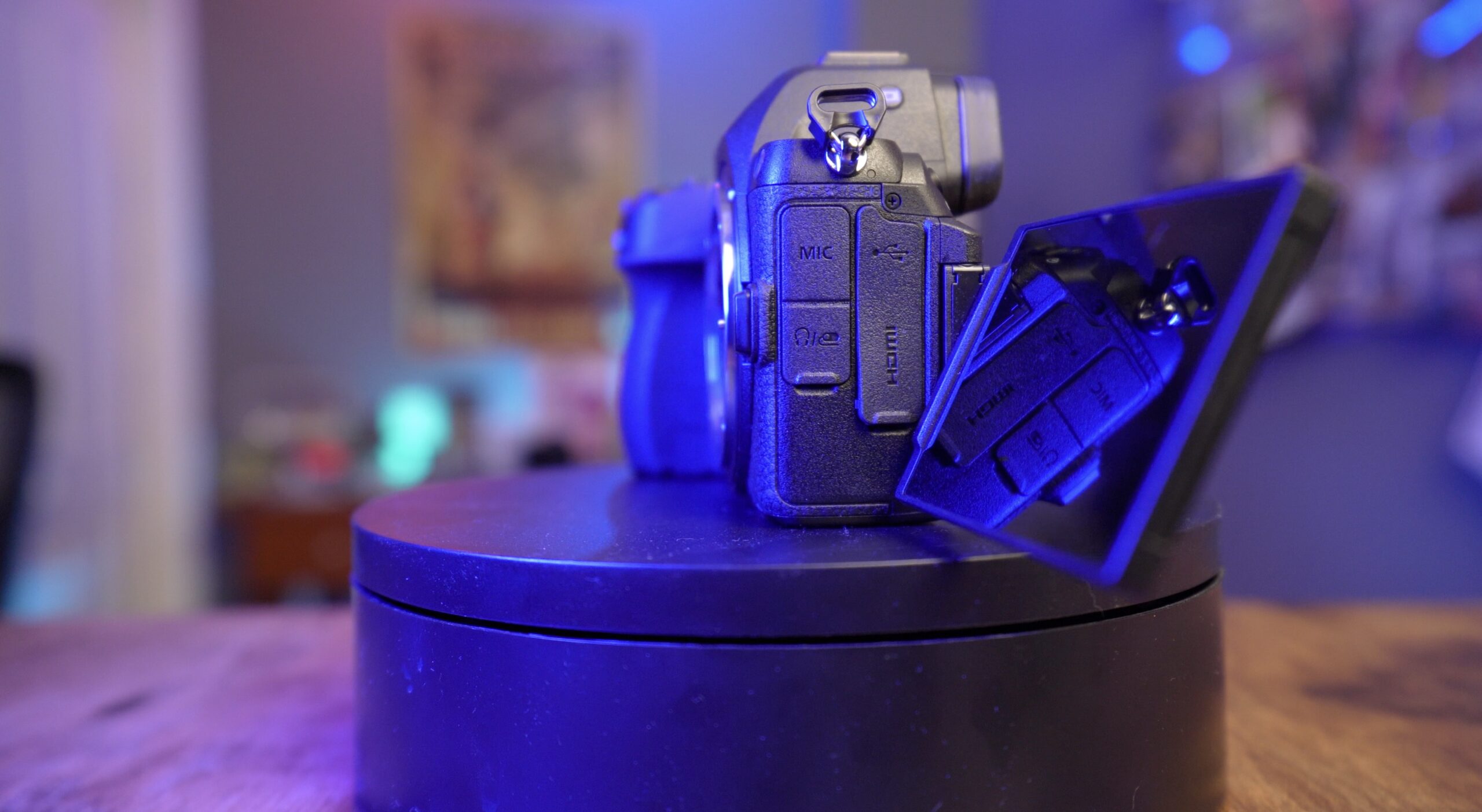
The USB-C port can be used for power delivery while recording, which means you can shoot indefinitely if you have a power bank or wall adapter. There are no artificial recording time limits, though, like most cameras without active cooling, you need to be aware of heat buildup during extended 4K recording sessions.
For social media creators and YouTubers, the Z5 II is a perfect tool. You get professional image quality, reliable autofocus for talking-head videos, good low-light performance for various shooting conditions, and enough video features to create content that looks great without needing a full cinema camera setup.
Nikon Z5 II vs Z6 III: Which is Right for you?
The Z6 III is the obvious comparison, even though it’s priced around $2,500—roughly $1,000 more than the Z5 II. Specs-wise, it’s the next nearest Nikon camera. What does that $1000 get you?
The Z6 III has a partially stacked sensor that gives you faster readout speeds, which means less rolling shutter in video and better performance with the electronic shutter for stills. It also has more advanced video features, including internal RAW recording options, higher frame rates in 4K, and better heat management for longer recording times. The Z6 III also has a better EVF, faster continuous shooting speeds, and more robust AF tracking.
Watch Our Nikon Z6 III Review
But if you’re primarily a stills shooter or someone who shoots video but doesn’t need all those professional video features, the Z5 II gives you 80-90% of the photography performance of the Z6 III for 60% of the price. (That’s a rough estimate.) For photographers who occasionally shoot video for social media or YouTube, the Z5 II’s video capabilities are more than adequate.
The Z6 III is mostly an upgrade for serious video users who need features like higher bit rates, longer recording times without overheating, and more professional video codecs. If you’re a wedding videographer or someone shooting commercial video work, the Z6 III makes sense. If you’re a photographer who also creates content, the Z5 II is the smarter choice.
With Nikon’s recent acquisition of the high-end cinema camera company RED, we’re likely to see its mirrorless cameras get increasingly powerful video features, tools that the ideal Z5 II customers don’t really need.
Why the Z5 II Is Excellent for Photography
I’d been hesitant to return this camera to Nikon, keeping it far longer than I should have. That’s because this is a fantastic travel and everyday camera, and I’ve been enjoying taking it to family gatherings, trips to the beach, and the occasional school graduation. The body is small and light relative to something like the Nikon Z9, although it is naturally not as small as Nikon’s APS-C cameras.


The battery life is excellent despite the lower battery life specs. Nikon didn’t provide a second battery during testing, so I never had a backup one, and even on full days of taking travel photos, I didn’t run out of juice.
Nikon’s menu system is excellent. The controls on this camera are excellent, and everything works really as you would expect it to work.
One of my favorite things about this camera is that it’s lightweight, compact, and affordable. Nikon has really been trying to compete with its rivals by giving you cameras at a slightly lower price point than you would expect for similar systems from similar manufacturers.
Should You Buy the Nikon Z5 II?
Yes, if you want a capable full-frame camera that delivers excellent image quality, reliable autofocus, and strong video features without paying for capabilities you won’t use. At around $1,800 (as of this article), the Z5 II is an exceptional value. You’re getting performance that was reserved for cameras costing upwards of $3,000 just a few years ago.
This is the camera I’d recommend to someone moving from APS-C to full-frame, to someone who wants a lightweight travel camera without sacrificing image quality, to content creators who need good video alongside their stills work, and to photographers who wish for reliable performance at an accessible price. It’s also a great second camera or backup camera for the wedding or event photographer.
The image quality is excellent, particularly in low light, and the autofocus is reliable and fast enough for most shooting situations.
However, if you need the absolute fastest autofocus tracking, higher frame rates for sports, or professional video features like internal RAW recording and longer 4K recording times, you’ll want to look at the Z6 III or Z8. The Z5 II isn’t perfect for every use case, but for what most people actually shoot, it delivers where it matters.
That’s why I think this is one of the best cameras Nikon has made—not because it has the most impressive spec sheet, but because it gets the fundamentals right at a price point that makes full-frame photography and quality video accessible to more people.