
Best NAS (Network Attached Storage) Devices of 2025: Secure, Expandable Storage for Creators

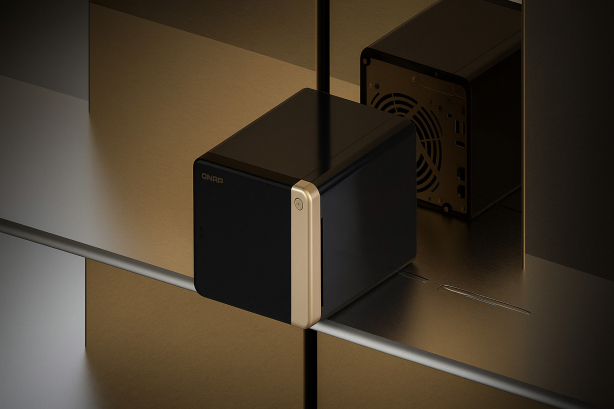
Table of Contents
 Our picks at a glance
A NAS (Network Attached Storage) device is a hard drive system connected to your local network rather than a single computer. This allows anyone at your location to access files, with some setups offering remote access capabilities.
NAS systems typically combine multiple drives to appear as one large storage device. Depending on configuration, they can create systems faster than desktop drives or increase data redundancy so drive failures don’t destroy your work-some do both.
While traditionally built around physical hard drives, modern NAS systems support SSDs or SSD/hard drive combinations. This hybrid approach speeds up data transfer while keeping costs lower than all-SSD configurations.
Even for solo users, a NAS provides massive storage and data redundancy peace of mind. Many home NAS systems include media streaming features, letting you stream TV and movies throughout your network.
Whether you’re editing 8K video, archiving photo libraries, or need expandable secure storage, a NAS is the ultimate hub for creative workflows.
Our picks at a glance

Key Takeaways
If you’re just starting, the Synology DS220+ and TerraMaster F2-423 offer a balance of performance and simplicity, while the QNAP TS-464 and Synology DS923+ provide more expandability and faster networking capabilities. For professionals who require uncompromising performance, the QNAP TVS-h874 delivers enterprise-grade features for fixed installations. The OWC Jellyfish Nomad provides excellent performance in a portable form factor specifically designed for professional video workflows and mobile production teams.
Why Trust Us?
As a photographer and video editor for several decades now, I’ve built NAS and other storage solutions and helped other photographers and videographers purchase and set up NAS solutions for their studios.
The Imaging Resource staff has been reviewing and using photo and video storage solutions for decades, from external drives to studio-grade servers.
With some of these units, we have tested similar products from the same company, sometimes previous versions, or models with lower capacity. Where we have not performed hands-on testing, we have worked with our content creator partners to vet these products for your own files.
We never accept payment for placement, and even though our articles contain affiliate links, they do not influence our editorial rankings.
Best NAS devices: Our top picks
Beginners and solo creators who want reliable backups, photo libraries, and easy-to-use solutions like Plex or Time Machine.
- Easy setup and polished DSM software interface
- Quiet operation and compact footprint perfect for home offices
- Excellent first-party apps for backup and media management
- Limited to only two bays which restricts future growth potential
- Lacks built-in 2.5GbE or 10GbE networking capabilities
- No NVMe slots for SSD caching acceleration
- Storage Capacity: 4TB (expandable)
- Drive Bays: 2
- Network connection : 2 x 1GbE LAN ports
- Processor & RAM: Intel Celeron J4025 with 6GB DDR4 RAM
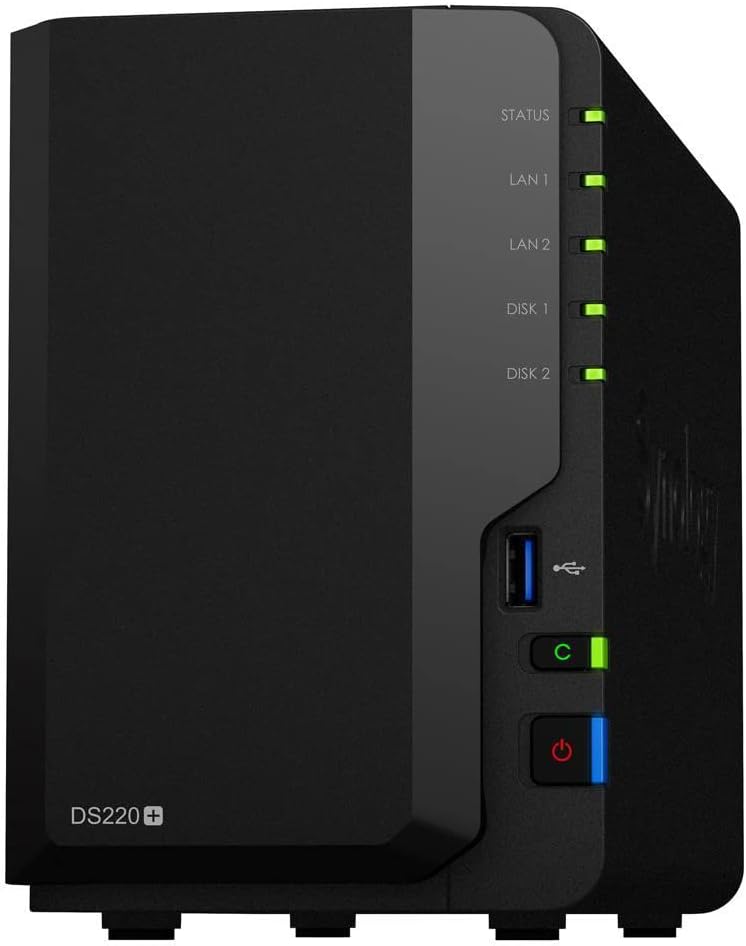
Synology’s entry-level 2-bay strikes the right balance of simplicity and capability. DSM’s effortless setup, excellent first-party apps (Hyper Backup, Drive, Photos), and quiet operation make it ideal for creators who want dependable backups and light media serving without complicated setup headaches.
Budget-conscious creators who want powerful hardware specs and faster networking without paying premium brand pricing.
- Dual 2.5GbE ports for faster networking speeds
- Two M.2 NVMe slots for SSD caching or additional storage
- Excellent hardware value with 4GB RAM and a quad-core processor
- TOS operating system less polished than Synology’s DSM interface
- Build quality feels budget-oriented compared to premium alternatives
- Smaller app ecosystem than established competitors
- Storage Capacity: up to 60TB
- Drive Bays: 2 bays
- Network connection : 2.5GbE LAN port
- Processor & RAM: Intel x86 Quad-core & 4GB RAM
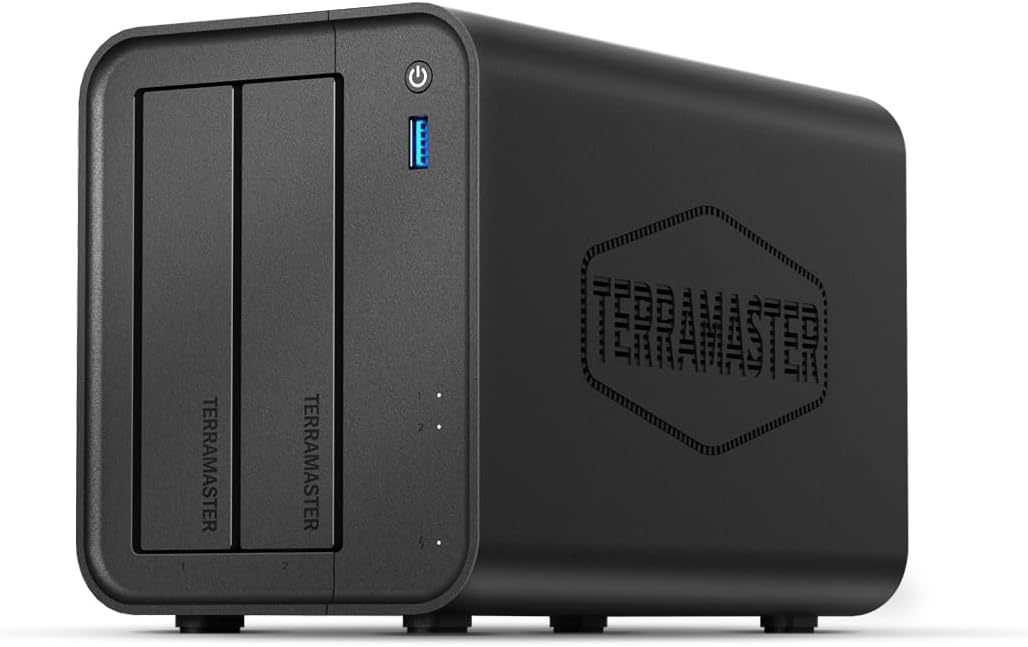
TerraMaster’s budget powerhouse packs impressive specs into an affordable package. With dual 2.5GbE LAN ports, two M.2 NVMe SSD slots, and 4GB of expandable RAM, the F2-425 delivers excellent value for creators who want faster networking and SSD caching without premium pricing.
Growing creators and small teams who want speed now and upgrade paths later (10GbE, NVMe cache, direct-to-TV Plex).
- Dual 2.5GbE ports with PCIe expansion slot for future upgrades
- Two M.2 NVMe slots enable high-speed SSD caching
- HDMI output allows direct connection to displays for media streaming
- QTS user interface more complex than other brands
- Fan noise can be noticeable under heavy processing loads
- Learning curve steeper for newcomers to NAS systems
- Storage Capacity: 4 drive + 2 x M.2 NVME slots
- Drive bays: 4
- Network Connectivity: Dual 2.5GbE Lan Ports
- Processor & RAM: Intel Celeron N5101 and 8GB DDR4
QNAP’s TS-464 packs flexibility into a compact 4-bay design, featuring dual 2.5GbE ports for fast data transfer, two NVMe slots for caching, and a PCIe slot for add-ons like 10GbE or extra USB ports. Creators can also leverage the HDMI output for direct Plex box or on-site previews without the need for a separate PC.
Synology fans who want transcoding capabilities and proven software reliability in a compact 2-bay form factor.
- Polished DSM interface with excellent app ecosystem and mobile clients
- Hardware transcoding support for 4K video streaming via Plex
- Dual Gigabit Ethernet ports enable link aggregation for improved speeds for home and studio users
- Limited to two drive bays limits expansion options
- No built-in 2.5GbE or 10GbE networking like newer alternatives
- Missing M.2 NVMe slots for SSD caching acceleration
- Storage Capacity: 8TB
- Drive bays: 2
- Network Connectivity: 2 x 1GbE LAN Ports
- Processor & RAM: Intel Celeron J4125 & 2GB DDR4
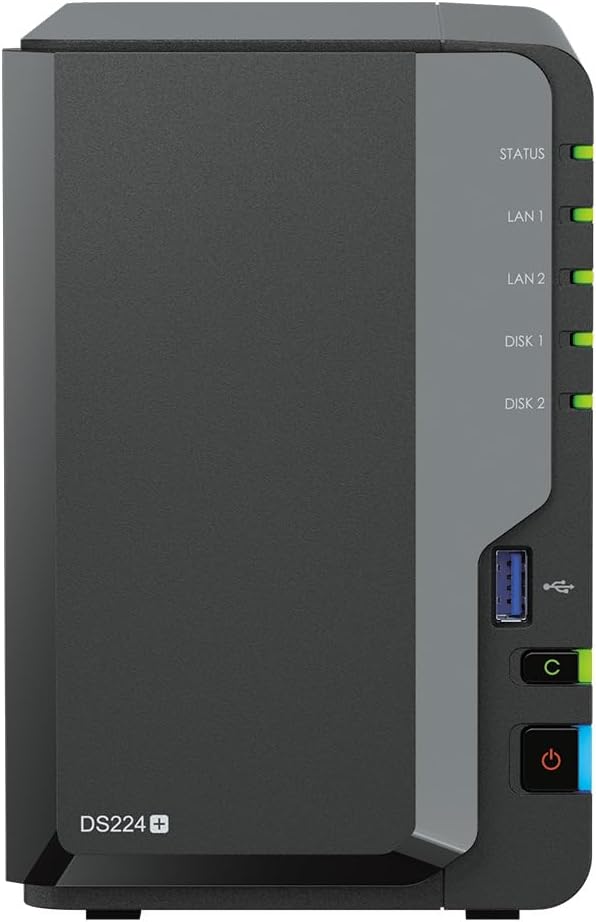
The DS224+ brings Synology’s polished DSM software experience to a powerful 2-bay desogm. With its Intel quad-core processor, video transcoding capabilities, and dual Gigabit ports, it’s perfect for creators who want Synology’s software excellence with enough power for Plex and light virtualization work.
Photographers and hybrid creators who want Synology’s software with professional-level scaling and optional 10GbE support.
- Polished DSM interface with comprehensive backup and photo management tools
- Dual M.2 NVMe slots support both caching and storage pools
- Expandable RAM up to 32GB enables advanced virtualization and heavy workloads
- Only 1GbE networking onboard requires add-on card for 10GbE speeds
- More expensive than competitors with similar hardware specifications
- eSATA expansion limited compared to newer connectivity options
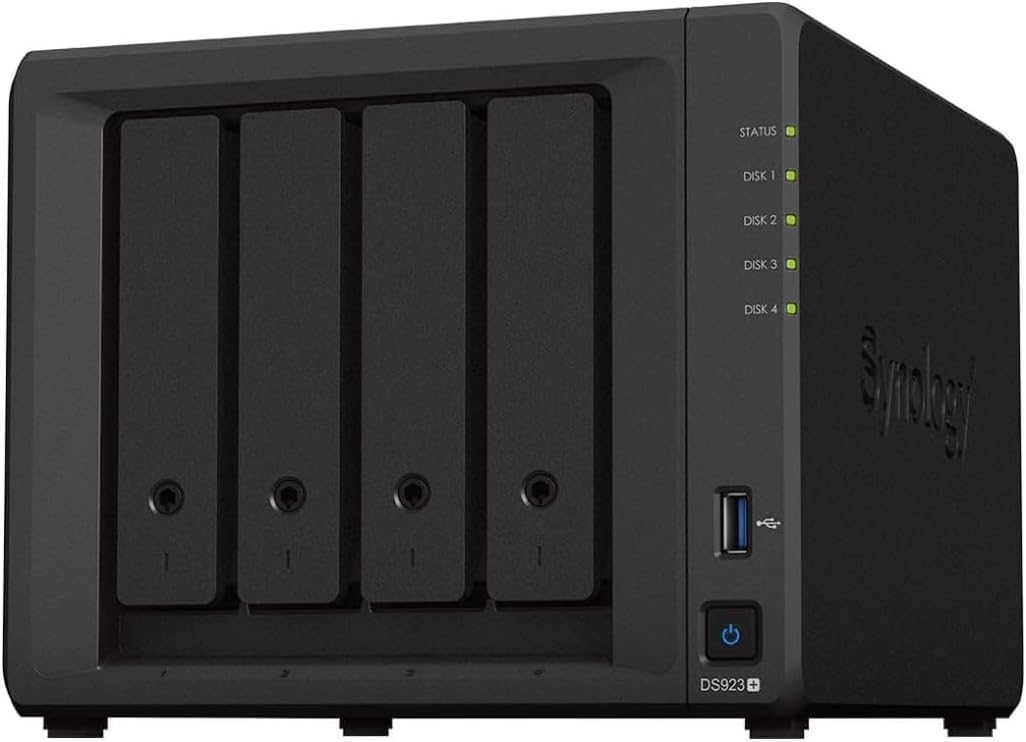
- Storage Capacity: 4 Drives (including 2 x M.2)
- Drive bays: 4
- Network Connectivity: 2 x 1GbE LAN Ports
- Processor & RAM: AMD Ryzen R1600 & 32GB DDR4
The DS923+ brings Synology’s best 4-bay platform to photographers, featuring a fast Ryzen CPU, up to 32 GB of RAM, dual NVMe slots (now usable for storage with DSM 7.2), and optional 10GbE connectivity via an add-on card. Pair it with Synology Photos and Hyper Backup for a polished, integrated workflow that scales.
Studios that need workstation-class throughput, data integrity, and expansion for multi-editor video pipelines.
- Eight drive bays with desktop-class Intel Core processors for maximum performance
- Multiple PCIe slots enable GPU acceleration and high-speed networking expansion
- ZFS-based QuTS hero file system provides enterprise data integrity features
- Large size and high power consumption unsuitable for home office environments
- Premium pricing puts it out of reach for casual users
- Complex feature set requires technical expertise to fully utilize
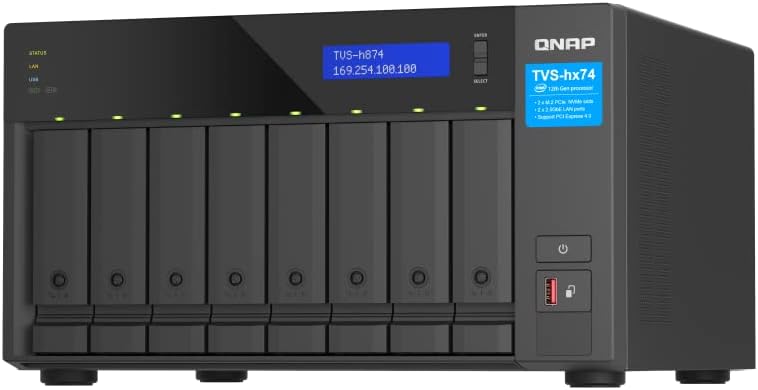
- Storage Capacity: 160TB+
- Drive bays: 8
- Network connectivity: 2 x 2.5GbE + 10GbE LAN ports
- Processor & RAM: Intel Core i5-12400 & 32GB DDR4
For studios and power users, the TVS-h874 is a powerhouse: featuring up to 8 SATA bays, desktop-class Intel Core CPUs, multiple PCIe slots for GPUs or 10/25GbE, and ZFS-based QuTS hero for data integrity. It’s built to handle multi-user 4K/8K editing, virtualization, and serious backup workloads.
Users who want a value-minded 4-bay with faster-than-gigabit networking and room to grow.
- Dual 2.5GbE ports provide faster transfers than standard gigabit networking
- Four bays allow for proper RAID redundancy and future expansion
- Strong media transcoding capabilities for 4K content streaming
- Fans can be louder under heavy load conditions
- Software interface not as polished as other brands
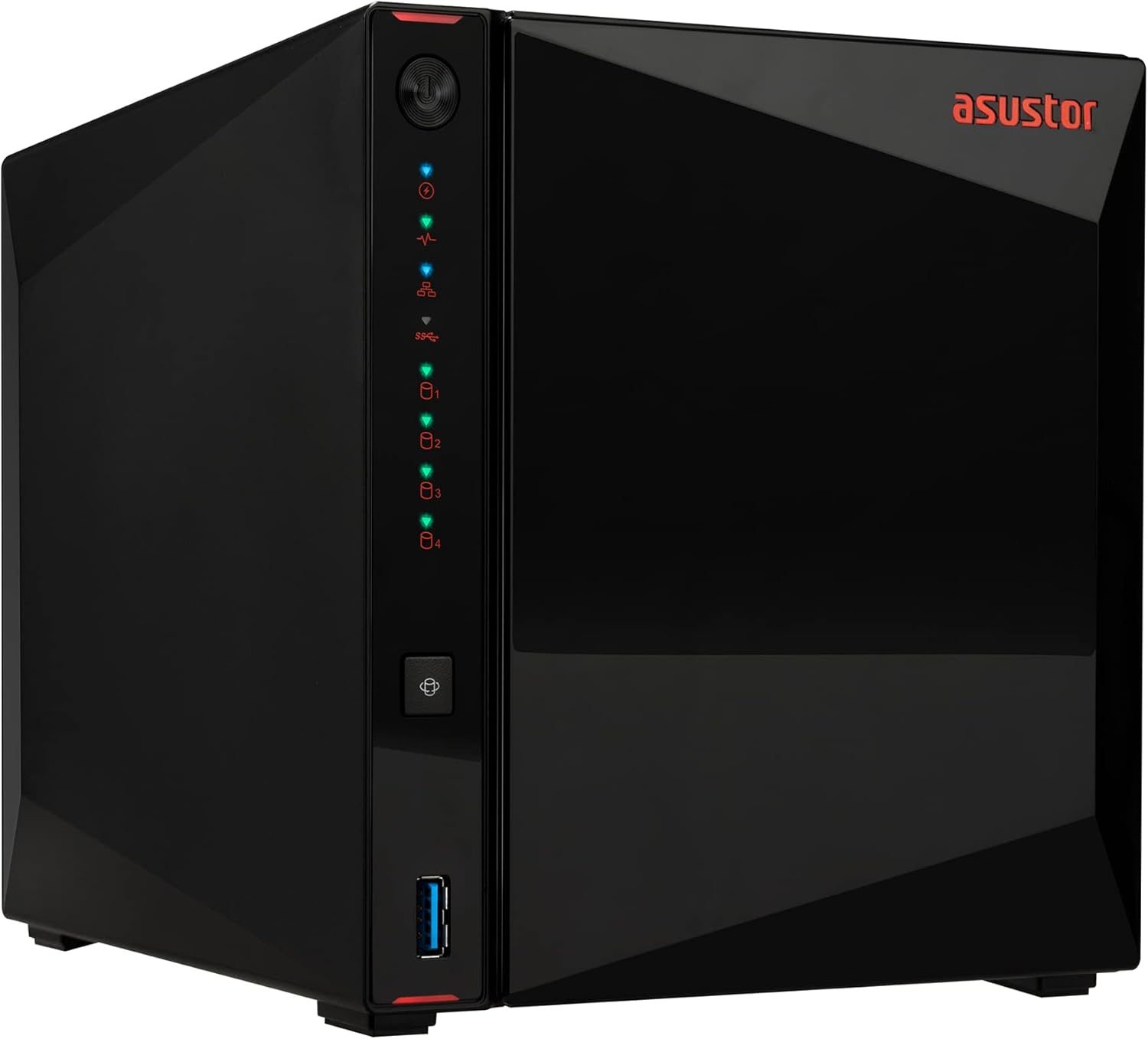
- Storage Capacity: 4 x M.2 SSD slots
- Drive Bays: 4
- Network Connectivity: 2 x 2.5GbE LAN ports
- Processor & RAM: Intel Celeron N5105 & 4GB DDR4
With four hot-swap bays and dual 2.5GbE ports, the AS5304T is a growth-friendly NAS for home offices and entry-level video creators. If you like streaming media, it’s fast enough for multi-stream 4K Plex, and ADM’s app store covers backups, cloud sync, and surveillance software.
Comparison Chart
| Product | Bays | CPU | RAM | Networking | Max Capacity | Dimensions | Weight |
| Synology DS220+ | 2 | Intel Celeron J4025 | 2GB (up to 6GB) | 2 x 1GbE | 36TB | 165x108x232mm | 1.3kg |
| TerraMaster F2-423 | 2 | Intel Celeron N5105 | 4GB (up to 32GB) | 2 x 2.5GbE | 40TB | 158x225x142mm | 1.5kg |
| Asustor AS5304T | 4 | Intel Celeron J4105 | 4GB (exp.) | 2 x 2.5GbE | 72TB | 170x174x230mm | 2.2kg |
| QNAP TS-464 | 4 | Intel Celeron N5105 | 4GB (up to 16GB) | 2 x 2.5GbE + PCIe | 72TB | 168x170x226mm | 2.3kg |
| Synology DS224+ | 2 | Intel Celeron J4125 | 2GB (up to 6GB) | 2 x 1GbE | 40TB | 165x108x232mm | 1.3kg |
| Synology DS923+ | 4 | AMD Ryzen R1600 | 4GB (up to 32GB) | 2 x 1GbE (10GbE add-on) | 108TB | 166x199x223mm | 2.24kg |
| QNAP TVS-h874 | 8 | Intel Core i5/i7/i9 | 16GB (up to 128GB) | 2 x 2.5GbE + 10GbE slot | 160TB+ | 188x329x279mm | 8.0kg |
| OWC Jellyfish Nomad | 8 NVMe | Workstation-class | 128GB DDR4 ECC | 6 x 10GbE + 1GbE IPMI | 64TB (48TB usable) | Mini-ITx portable | Carry-on compatible |
Why Photographers and Videographers Need a NAS
Network-Attached Storage (NAS) devices are more than just fancy hard drives. They offer central, always-on storage across your network, allowing you to organize, stream, and protect your images and videos without manually plugging in external drives.
Instead of copying files between laptops and workstations, a NAS provides access to your full archive from any computer or device on your network. Many systems also support remote access, automatic backups, and expandable storage. For creatives working with 4K+ video, RAW photo archives, or collaborative teams, a NAS becomes the heart of a modern workflow.
NAS vs. Regular Drives
Direct-attached storage, such as USB or Thunderbolt drives, works well for single-user editing but falls short when shared access or automation is required. NAS devices reside on your network, supporting multiple users, built-in RAID for redundancy, and smart tools such as scheduled backups and cloud sync.
While external SSDs are ideal for editing on the go, a NAS is built for long-term management of your creative library. Whether you’re accessing ProRes masters from an editing suite or backing up a Lightroom catalog from your laptop, a NAS does it without cables or hassle.
HDD vs. SSD in a NAS
Hard Disk Drives (HDDs) offer a great price per terabyte, making them ideal for bulk storage, archiving, and backups. They’re slower than SSDs, but perfectly fine for most read/write operations.
Solid State Drives (SSDs) are faster and better suited for live editing workflows, especially when working with large video files. Some NAS units allow you to mix both-using SSDs for cache acceleration and HDDs for deep storage-delivering both speed and affordability.
RAID and Redundancy
RAID (Redundant Array of Independent Disks) lets you combine multiple drives into one volume that’s faster, more reliable, or both. RAID 1 mirrors your data across two drives, RAID 5 offers performance and single-drive fault tolerance, and RAID 6 protects against two simultaneous drive failures.
RAID helps avoid downtime and data loss due to hardware failure, but it’s not a backup-always keep off-site or cloud copies of your most critical files.
FAQs: Understanding NAS
Q: What is RAID, and why does it matter?
RAID (Redundant Array of Independent Disks) is a method of combining multiple hard drives into a single storage pool. Some RAID levels improve speed, while others provide redundancy to protect against drive failure.
Q: What is 10GbE networking?
10 Gigabit Ethernet (10GbE) is a high-speed network connection that’s 10x faster than standard 1GbE. It’s useful for video editing and transferring large files directly from your NAS.
Q: What are hot-swappable bays?
Hot-swappable bays allow you to replace a hard drive without shutting down your NAS. This is critical for uptime and protecting your data in RAID setups.
Q: Can I use a NAS as a media server?
Yes, many NAS devices can run Plex or similar media server software, letting you stream movies, music, and photos to TVs, computers, and mobile devices.
Q: Do I need SSDs for my NAS?
No, but SSDs can speed up caching and improve performance. For most users, large-capacity HDDs are the best value for bulk storage, with SSDs added as cache drives.
Q: How much should I spend on a NAS?
Budget NAS systems ($200-400) work well for basic file storage and light media streaming. Mid-range options ($400-800) add faster networking and more advanced features. Professional systems ($800+) offer enterprise features and maximum performance.
Q: Which brand should I choose?
Synology offers the most polished software experience but at premium pricing. QNAP provides excellent hardware value with more technical features. TerraMaster delivers strong hardware specs at budget prices. Asustor offers good middle-ground options with growing software ecosystems.
NAS Terms Glossary
NAS: Network-Attached Storage – a dedicated device connected to your network that stores and shares files across multiple devices.
RAID: Redundant Array of Independent Disks – a system that spreads or duplicates data across multiple drives for performance or redundancy.
10GbE: 10-Gigabit Ethernet – a high-speed network standard ten times faster than standard 1 GbE, ideal for large video files and multiple users.
M.2 SSD: A compact solid-state drive format often used for caching in NAS devices to speed up frequently accessed data.
SHR: Synology Hybrid RAID – a flexible RAID configuration unique to Synology that simplifies drive mixing and expansion.
DSM: DiskStation Manager – Synology’s NAS operating system, known for its intuitive interface and powerful apps.
Cache: Temporary storage that helps speed up access to frequently used files or tasks.
ECC RAM: Error-Correcting Code memory – a type of RAM that detects and corrects data corruption, critical for high-reliability systems.