
Best Webcams for Streaming in 2025

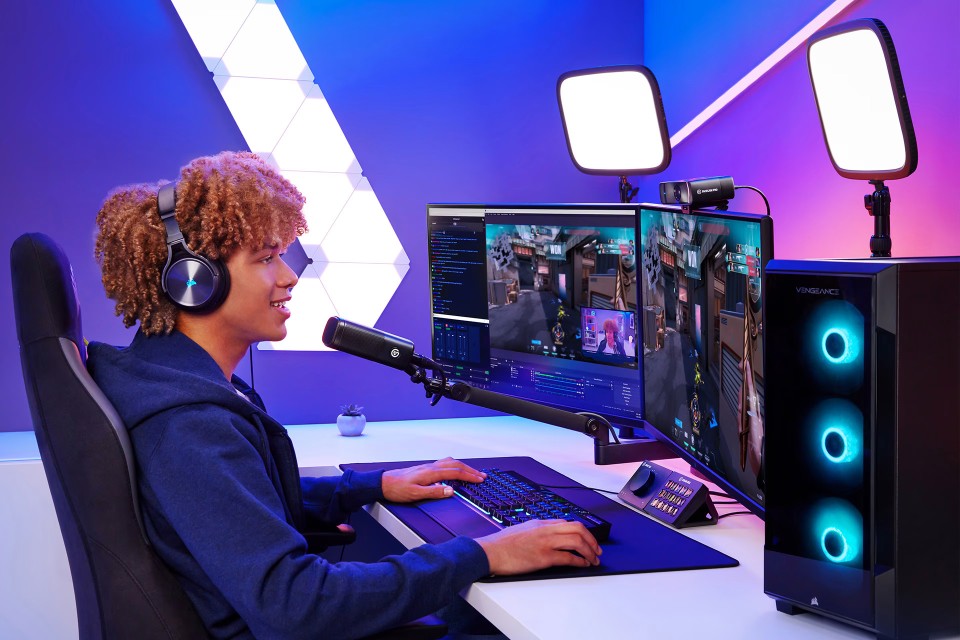
Table of Contents
 Our Picks At A Glance
David Schloss and the Imaging Resource Staff
Whether you’re streaming on Twitch, hosting Zoom calls, or recording YouTube content, your webcam is one of the most essential pieces of your setup. Today’s best webcams offer sharp 4K video, excellent low-light performance, strong audio, and features like autofocus and background blur to make you look your best on camera.
In this guide, we’ve compiled our favorite webcams to help streamers get the best possible video on their channels.
Our team has tested and used the majority of these cameras in daily operations. Many of them are tools that live in our offices for our own conference calls. When we lack hands-on experience with a product, we rely on our network of trusted reviewers to recommend verify our product selections.
We never accept payment to feature products in our guides. While affiliate links help support Imaging Resource, our recommendations are based solely on editorial judgment—not commissions.
Our Picks At A Glance
Key Takeaways
For most streamers, the Logitech StreamCam remains the best balance of quality, affordability, and ease of use. For the sharpest possible picture, the Elgato Facecam Pro offers full 4K/60p recording with exceptional detail. Budget-conscious users will be pleased with the Logitech C922x, while the Razer Kiyo Pro offers strong low-light performance and an optional ring light for nighttime streams. Creators who want an all-in-one vlogging camera that doubles as a webcam should consider the Canon PowerShot V10.
Best Picks by Category
- Best Budget Webcam: Logitech C922x Pro Stream Webcam
- Best Overall Webcam: Logitech StreamCam
- Best 4K Webcam: Elgato Facecam Pro
- Best Low-Light Webcam: Razer Kiyo Pro
- Best Mirrorless/Vlogging Camera as Webcam: Canon PowerShot V10
Why Trust Us
At Imaging Resource, we test camera gear and studio setups for real-world workflows in home offices, production studios, and even in local coffee shops.
Logitech C922x Pro Stream Webcam
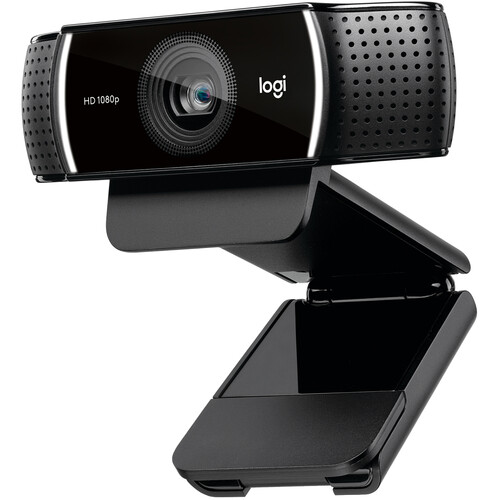
A budget-friendly webcam with 1080p/30fps or 720p/60fps streaming, the C922x is designed for Twitch and YouTube creators. It also includes a tripod and background replacement software for basic green-screen effects.
Rating: 4.2
Pros
Affordable; decent 1080p quality; includes tripod.
Cons
No 4K; weaker low-light performance.
Specs
- Resolution: 1080p/30fps, 720p/60fps
- Field of View: 78°
- Microphones: Dual stereo
- Connectivity: USB-A
- Dimensions: 44 x 95 x 71 mm
- Weight: 162 g
Who is this for?
Budget-conscious streamers who want a solid starter webcam.
Logitech StreamCam
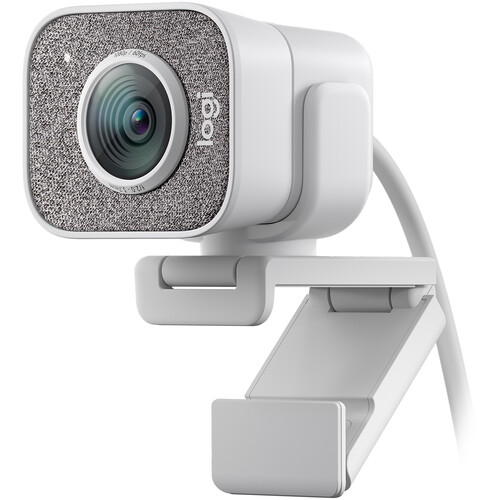
One of the most popular webcams for creators, the StreamCam delivers sharp 1080p/60fps video with AI-powered face tracking and autofocus. Its USB-C connection ensures low latency, and it works seamlessly with OBS, XSplit, and Zoom.
Rating: 4.6
Pros
Sharp 1080p/60p video; excellent autofocus; flexible mounting.
Cons
No 4K; pricier than entry-level webcams.
Specs
- Resolution: 1080p/60fps
- Field of View: 78°
- Microphones: Dual front-facing stereo
- Connectivity: USB-C
- Dimensions: 58 x 48 x 66 mm
- Weight: 150 g
Who is this for?
Streamers who want a reliable, high-quality webcam with smooth motion.
Elgato Facecam Pro
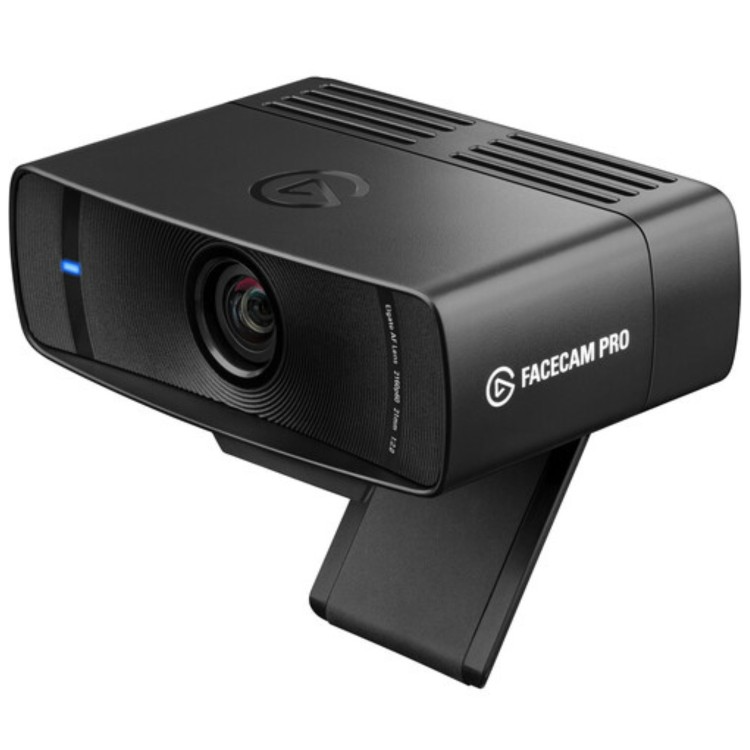
Explicitly designed for streamers, the Facecam Pro captures full 4K/60fps video with crisp detail. It features advanced onboard image processing, customizable settings through Elgato Camera Hub, and broad compatibility with streaming platforms.
Rating: 4.8
Pros
True 4K/60p capture; pro-grade controls; excellent sharpness.
Cons
Expensive; no built-in microphone.
Specs
- Resolution: 4K/60fps
- Field of View: 90°
- Microphones: None (external mic required)
- Connectivity: USB-C
- Dimensions: 79 x 38 x 45 mm
- Weight: 240 g
Who is this for?
Creators who demand the highest image quality for professional-looking streams.
Razer Kiyo Pro
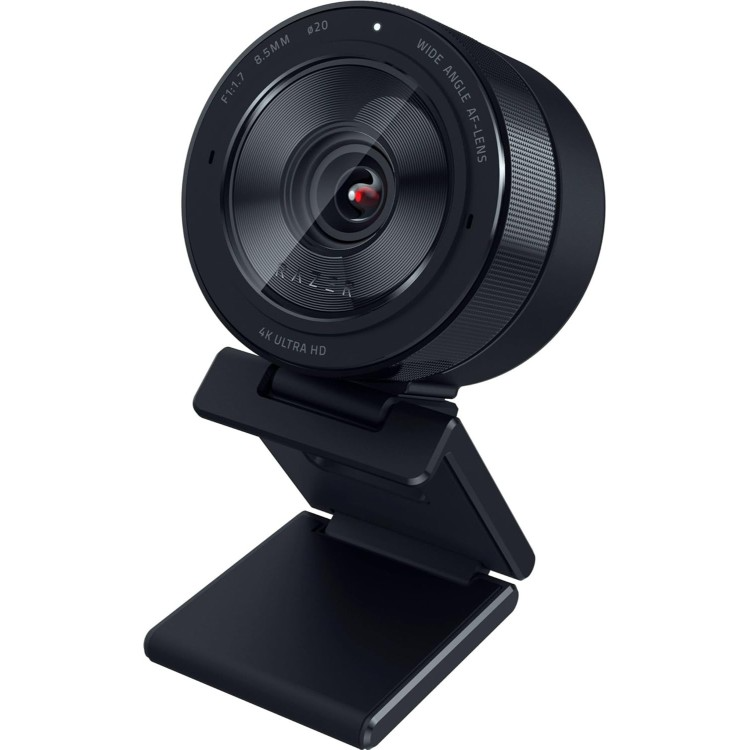
With a wide f/2.0 aperture and adaptive light sensor, the Razer Kiyo Pro excels in low-light conditions. It supports HDR at 30fps and offers a flexible field of view ranging from 80° to 103° for various setups.
Rating: 4.5
Pros
Great in low light; HDR support; adjustable FOV.
Cons
Maxes out at 1080p; pricier than budget models.
Specs
- Resolution: 1080p/60fps, HDR 1080p/30fps
- Field of View: 80°-103° adjustable
- Microphones: Omni-directional stereo
- Connectivity: USB 3.0
- Dimensions: 69 x 69 x 48 mm
- Weight: 179 g
Who is this for?
Streamers who often record in dim rooms and want flexible framing options.
Canon PowerShot V10 (Vlogging Camera as Webcam)
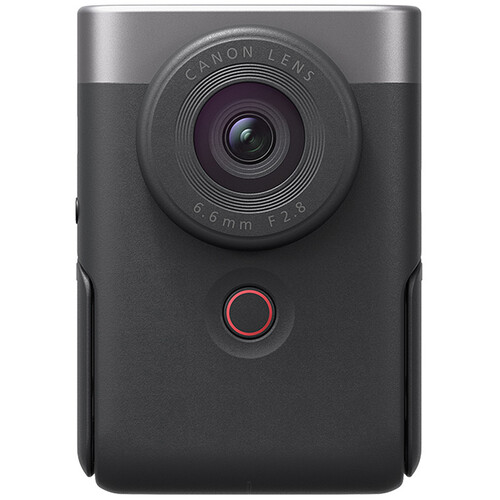
Technically a vlogging camera, the Canon PowerShot V10 doubles as an excellent webcam when connected via USB. It has a large 1-inch sensor, a built-in stand, and strong stereo microphones, making it a versatile tool for both video creation and livestreaming.
Rating: 4.3
Pros:
1-inch sensor; built-in stand; doubles as vlog and webcam.
Cons
No interchangeable lenses; no IBIS.
Specs
- Sensor: 1-inch CMOS, 20.9 MP
- Lens: Fixed 18mm-equivalent f/2.8
- Video: 4K/30p, 1080/60p
- Screen: 2.0-inch flip LCD
- Audio: Dual stereo mics, 3.5mm input, no headphone jack
- Connectivity: USB-C (webcam mode)
- Dimensions: 63.4 × 90.0 × 34.4 mm
- Weight: 211 g
Who is this for?
Creators who want a compact hybrid vlogging camera that doubles as a high-quality webcam.
Comparison Chart
| Product | Category | Resolution/Frame Rate | Connectivity | Notable Features | Weight | Audio | Best For |
|---|---|---|---|---|---|---|---|
| Logitech C922x Pro | Budget Webcam | 1080p/30fps, 720p/60p | USB-A | Tripod included, background effects | 162 g | Dual stereo mics | Beginners on a budget |
| Logitech StreamCam | Overall Webcam | 1080p/60fps | USB-C | AI face tracking, flexible mount | 150 g | Dual front-facing mics | Streamers wanting smooth, sharp video |
| Elgato Facecam Pro | 4K Webcam | 4K/60fps | USB-C | Pro-grade controls, sharp 4K video | 240 g | None (external required) | Pro creators demanding highest detail |
| Razer Kiyo Pro | Low-Light Cam | 1080p/60fps, HDR 30p | USB 3.0 | Wide f/2.0 lens, HDR, adjustable FOV | 179 g | Omni-directional stereo | Streamers in dim rooms |
| Canon PowerShot V10 | Hybrid Vlog Cam | 4K/30p, 1080p/60p | USB-C | 1-inch sensor, built-in stand, flip screen | 211 g | Stereo mics, 3.5mm input | Creators wanting vlog + webcam versatility |
FAQs: Buying a Webcam for Streaming
Q: Do I need a 4K webcam for streaming?
1080p webcams are sufficient for most streamers, as most platforms already compress video. However, 4K webcams like the Elgato Facecam Pro offer enhanced sharpness and allow for cropping while maintaining HD quality.
Q: Is a built-in microphone enough?
Most built-in mics are serviceable, but a dedicated USB or XLR mic will drastically improve audio quality. If you must rely on built-in microphones, choose models with multiple capsules and noise reduction features.
Q: What’s the advantage of using a vlogging camera like the Canon PowerShot V10 as a webcam?
Dedicated vlog cameras often have larger sensors, better microphones, and more flexible features than webcams. When connected via USB-C, they double as high-quality webcams with superior image quality.
Q: Does image stabilization matter for webcams?
Since most webcams are mounted on a monitor or tripod, stabilization isn’t critical. However, vlog cameras used as webcams can benefit from digital or optical IS if handheld.
Q: Should I get a webcam with HDR?
HDR helps balance bright and dark areas in challenging lighting conditions, which is particularly useful when streaming in mixed light environments.