
Moment Launches Pro Camera II for iOS With New Manual and Video Features


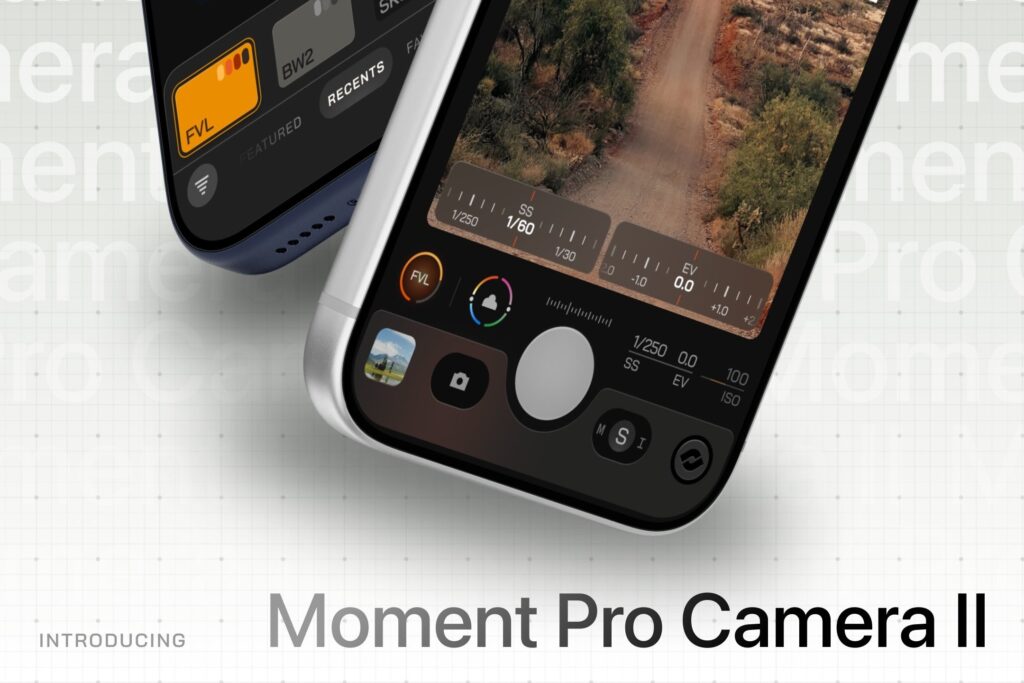
Moment has released Pro Camera II, a fully redesigned version of its popular third-party camera app for iPhone. The new app is built to unlock more of the iPhone’s imaging capabilities through advanced manual controls, pro-video features, and a customizable interface aimed at photographers and filmmakers.
The original Pro Camera app was widely regarded as one of the best alternatives to Apple’s native camera app, even reaching the #1 rated camera app spot for several years. But it had begun to show its age with slower startup times and occasional crashes. Pro Camera II aims to fix that with a faster, more stable foundation and an overhauled user experience.
Rebuilt for Performance and Creative Control
Pro Camera II introduces a streamlined, configurable interface and expands access to manual photography tools. Users can shoot in Shutter Priority, ISO Priority, Manual, or Auto exposure modes, including the ability to define a custom Auto ISO range for more consistent exposures.
White balance controls have also been upgraded. Photographers can adjust temperature and tint, choose presets, or calibrate using a gray card. The app even allows fine-tuning of image processing and HDR intensity for more precise results.
Introducing Natural Processing – our new photography processing mode that preserves your iPhone’s natural grain and doesn’t add additional sharpness or clarity so you can get authentic photos. pic.twitter.com/gMumFFiUUb
— Moment Pro Camera (@MomentProCamera) November 6, 2025
Professional Video Tools on the iPhone
Moment has packed the new version with a robust set of video features normally found in dedicated cinema apps. Pro Camera II supports Apple Log, Open Gate, ProRes, and 10-bit recording. Users can configure resolution, frame rate, codec, color space, bitrate, and chroma subsampling.
Video monitoring tools include Waveform, RGB Histogram, and audio metering—important additions for shooters who need accurate exposure and color control.
LUT support is also built in. LUTs can be imported, applied to photo and video, and toggled between preview mode or baked-in output with adjustable intensity.
Customizable Interface and Workflow
Pro Camera II’s interface can be tailored to the user’s shooting style. A left-hand layout option and customizable quick-access tools make it easier to reach frequently used settings such as flash, stabilization, zebras, grids, and focus peaking. Zen Mode simplifies the interface for distraction-free shooting, removing everything except essential tools.
The updated app integrates seamlessly with Moment’s iPhone lens and case ecosystem. Moment says future updates will add slow shutter and timelapse modes, advanced profile sharing, and expanded support for third-party hardware.
Pricing and Availability
Moment’s Pro Camera II app is available now on the Apple App Store for $9.99.